
The best fonts for a business card are the ones that stay sharp at 3.5 by 2 inches: a narrow or sturdy sans for the name, a quiet serif for elegance, and a plain face for the contact lines. The 21 fonts below come from Creative Fabrica, with a preview, a short note on the look and a list of businesses each one suits, so you can choose by the card in front of you, not by the name.
Starting with one pick? Try Grossura for a strong name or Soligant for a softer look. For more type guides, see our Canva font combinations, 45 font duos, fonts for business logos, modern bold fonts, bold serif fonts and elegant fonts. Browse everything in the font library.
Which Font for Which Business Card?
| Card style | What to look for | Good starting fonts |
|---|---|---|
| Long business name | Narrow, heavy letters | Limited, Horizon, Grossura |
| Elegant and feminine | Thin, curving serif | Soligant, Black Mogan, Calora |
| Modern and corporate | Clean geometric sans | Mograph, Alegust, Veiran Regular |
| Premium and fashion | Tall, high-contrast serif | Magazine, Ravors, Regasto |
| One family for the full card | Many weights or a built-in pair | Glamour Luxury Family, Melody Southern Duo, Gianna |
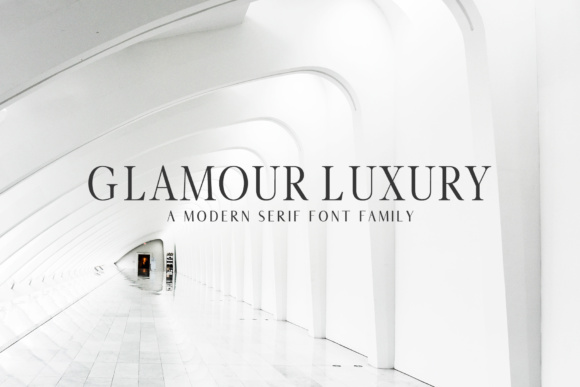
1. Glamour Luxury Family
A modern, minimalist serif family with a wide choice of weights, so one purchase covers the name, the role and a lighter line for details.
Best for: a full card set with one family, studio names, consultants.


Download Glamour Luxury Family
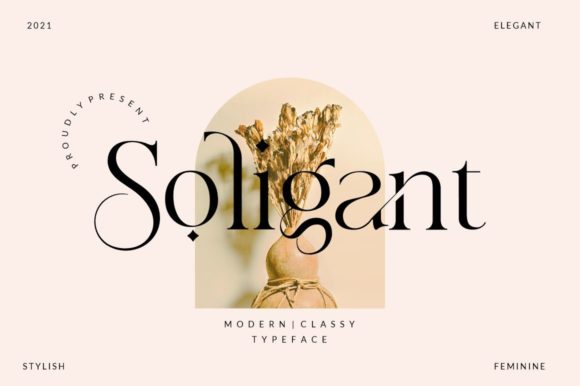
2. Soligant
A classy serif with elegant swashes and a tall, graceful cut that suits a name set in capitals or title case.
Best for: boutiques, beauty brands, stylists.


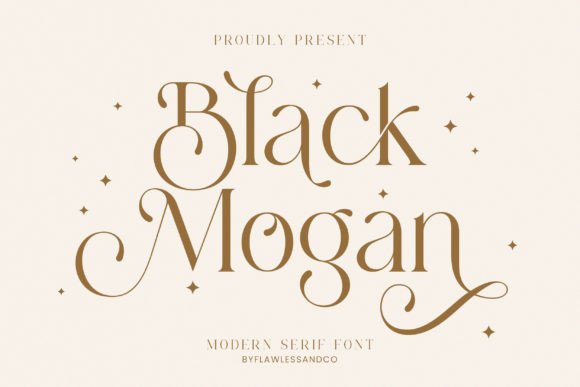
3. Black Mogan
A high-contrast serif with long curving tails and small star accents for a feminine, fashion-led look.
Best for: salons, florists, wedding planners.


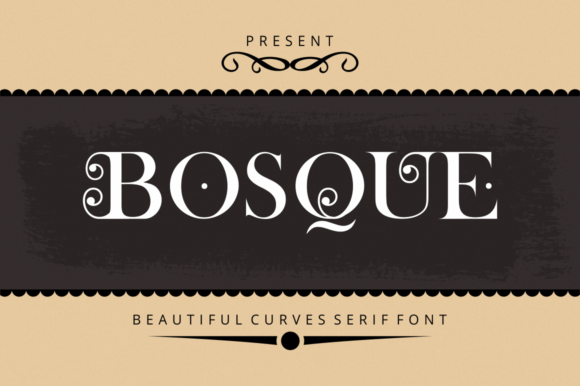
4. Bosque
A curvy serif with decorative notches in the capitals. Strong at a large size, so keep it for the business name alone.
Best for: cafés, bakeries, craft studios.


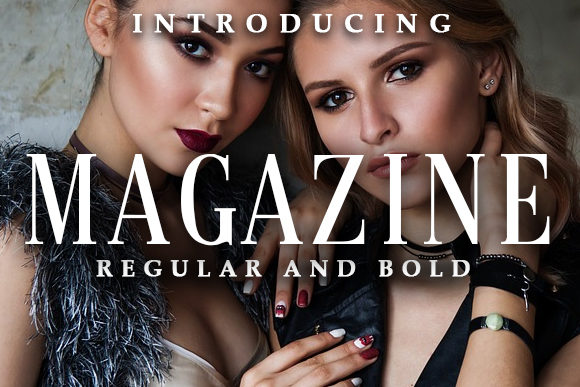
5. Magazine
A tall, tightly spaced serif in regular and bold, built like a fashion-magazine masthead.
Best for: photographers, fashion brands, editors.


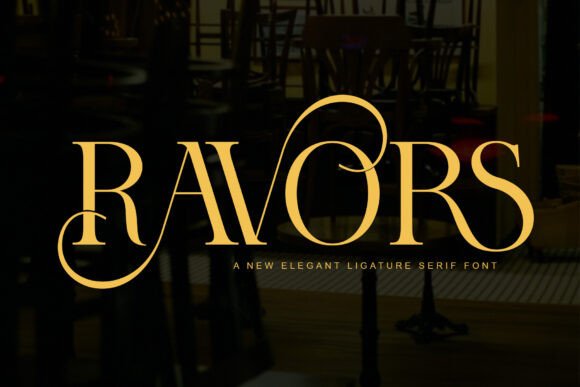
6. Ravors
An elegant ligature serif with a tall R and V that join into one shape. A strong first letter for a short name.
Best for: boutique hotels, jewellery, event design.


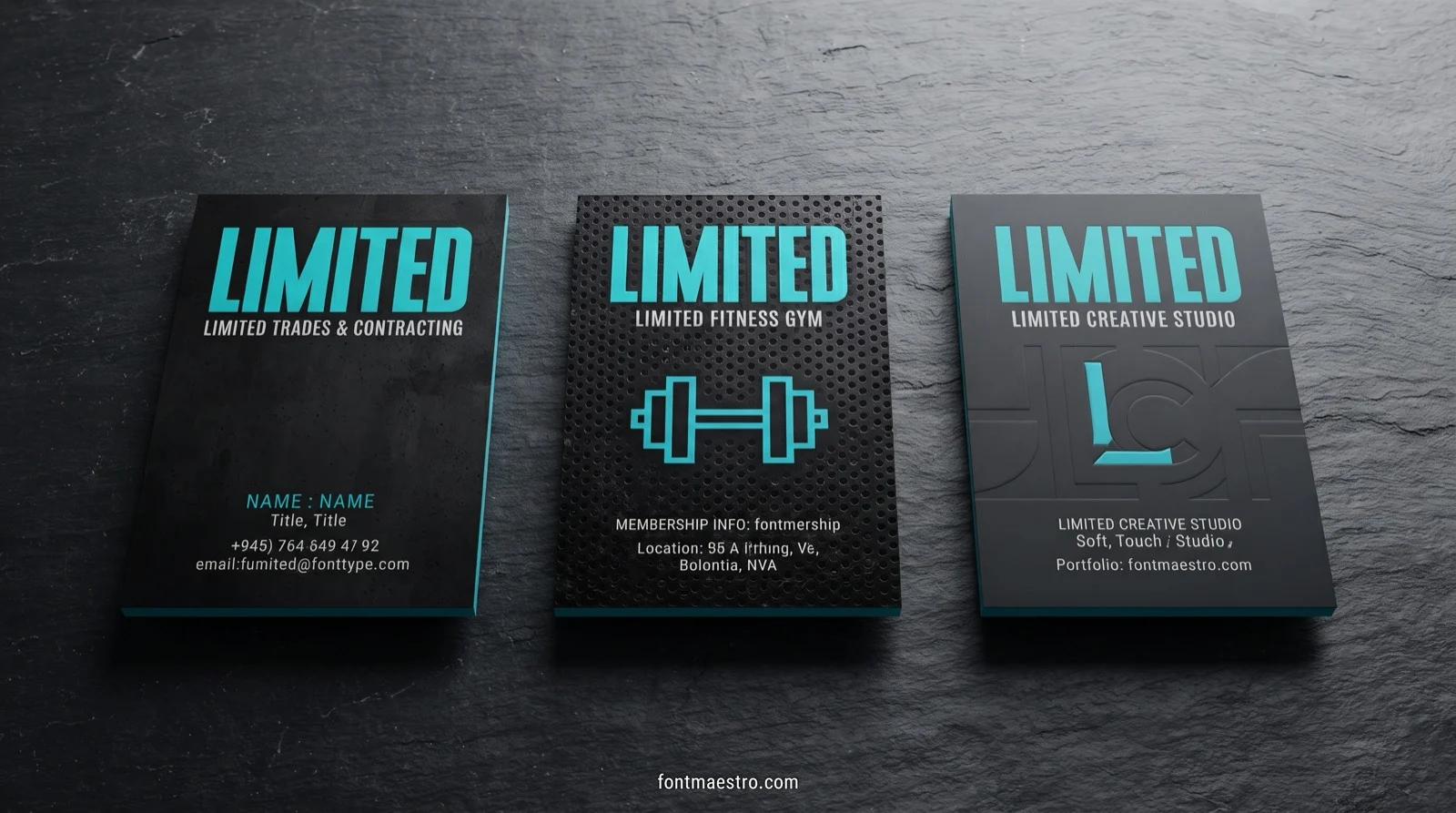
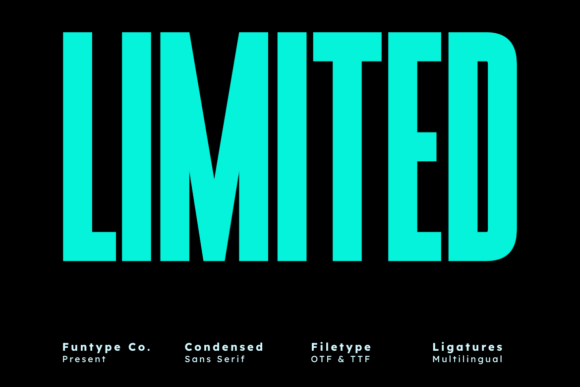
7. Limited
An ultra-condensed bold sans that keeps a long name on one line, close to a classic poster face.
Best for: trades, gyms, studios with a long business name.

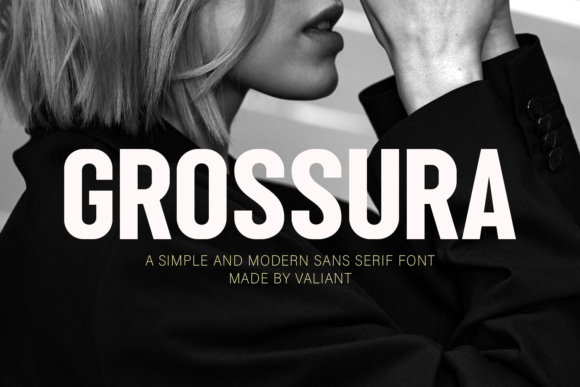
8. Grossura
A simple, heavy sans serif with clean lines. Plain enough to print crisply on a small card.
Best for: builders, fitness coaches, delivery firms.


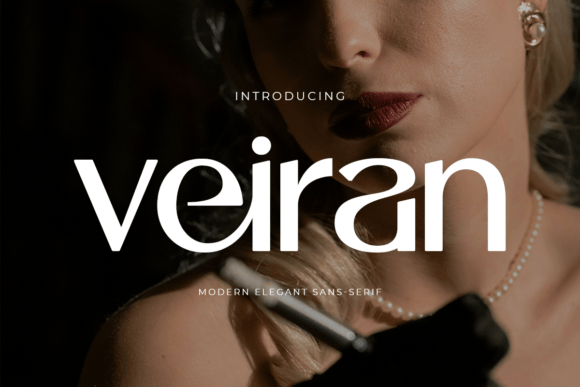
9. Veiran Regular
A modern, rounded sans with a soft, premium feel and plenty of space between letters.
Best for: skincare, wellness, creative agencies.

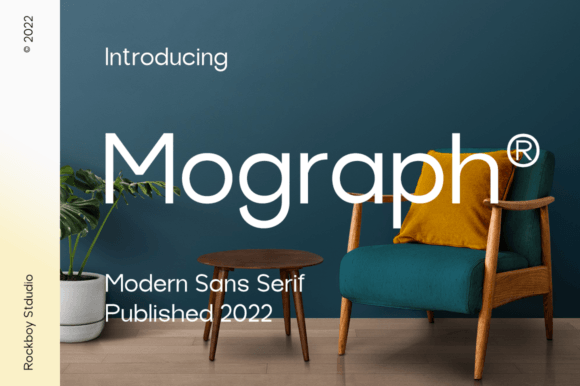
10. Mograph
A clean geometric sans for logos, blogs and corporate pieces. It works for both the name and the contact lines.
Best for: consultants, web designers, small companies.


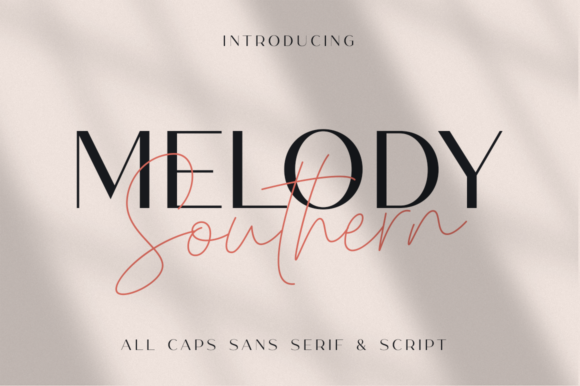
11. Melody Southern Duo
A pair in one download: an all-caps sans for the name and a thin script for a touch of signature.
Best for: photographers, boutiques, stylists.


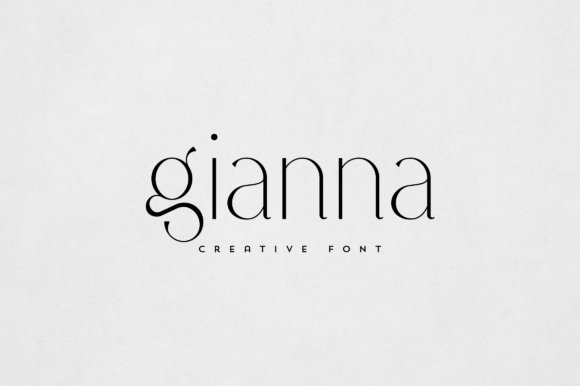
12. Gianna
A refined, light display serif with a crisp, elegant shape and generous spacing.
Best for: beauty, interior design, jewellery.


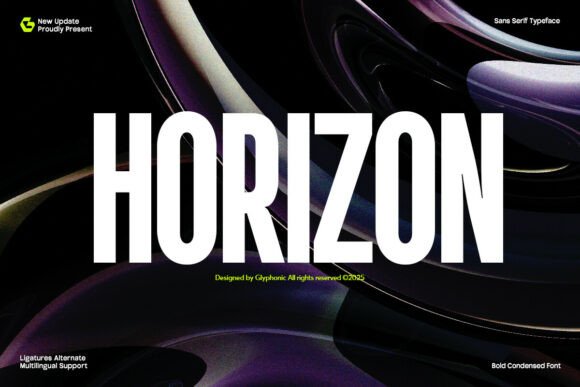
13. Horizon
A bold, condensed sans serif with a tall structure and tidy ligatures. Gives a heavy name without taking much width.
Best for: agencies, music and events, tech start-ups.


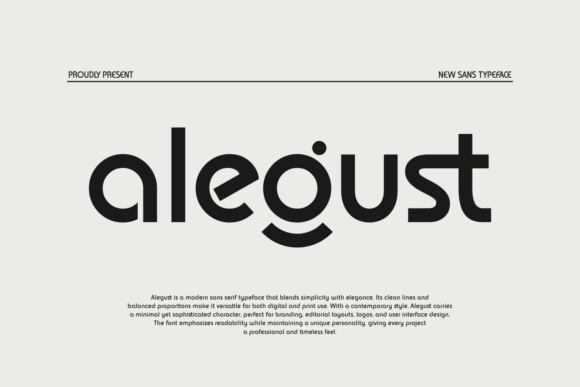
14. Alegust
A modern sans with round, even strokes and a corporate yet friendly tone.
Best for: start-ups, therapists, small shops.

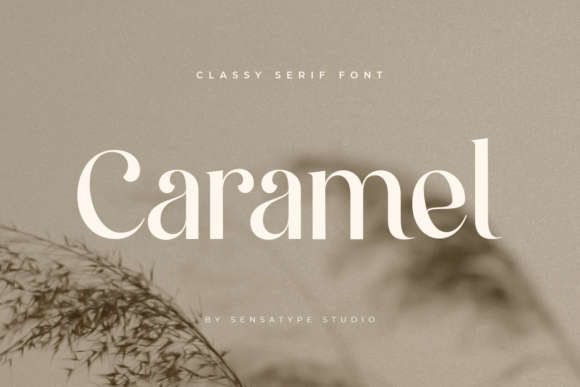
15. Caramel
A classy serif with soft curves and alternates, light enough to look relaxed, solid enough to read small.
Best for: bakeries, boutiques, lifestyle brands.


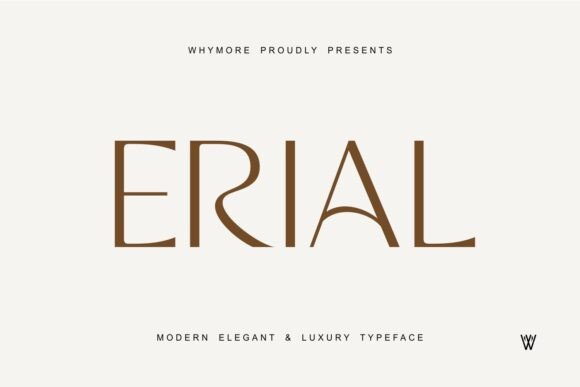
16. Erial
A refined, wide-set serif with clean arches. Elegant in capitals, with a calm, expensive look.
Best for: invitations and brand cards for creative services.


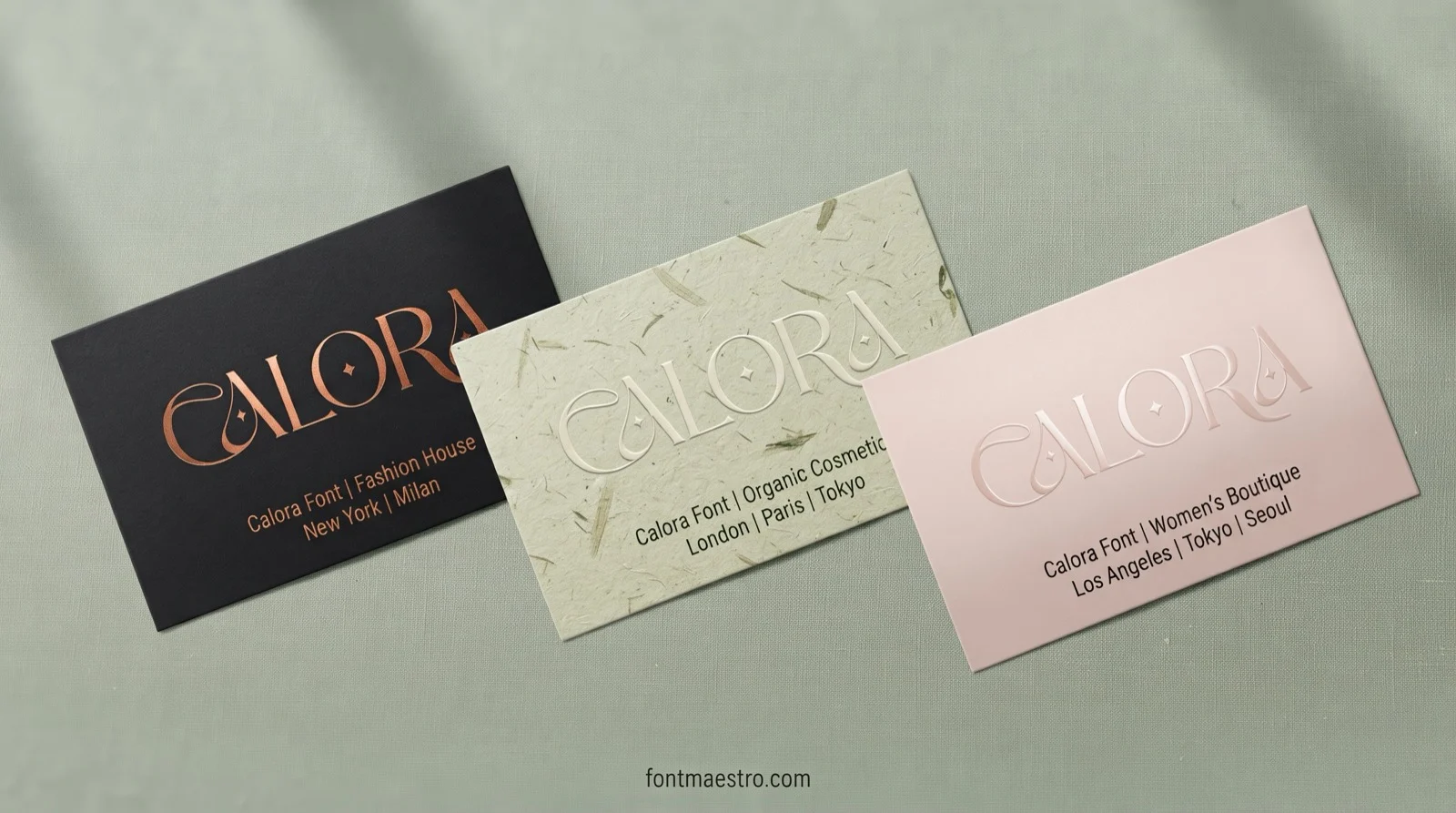
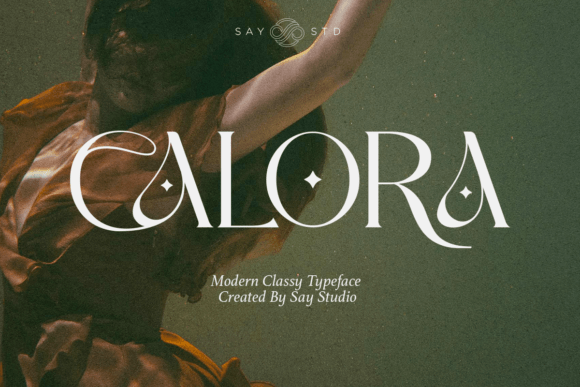
17. Calora
A playful yet elegant serif with curvy details and small star marks in the capitals.
Best for: fashion, cosmetics, women’s brands.

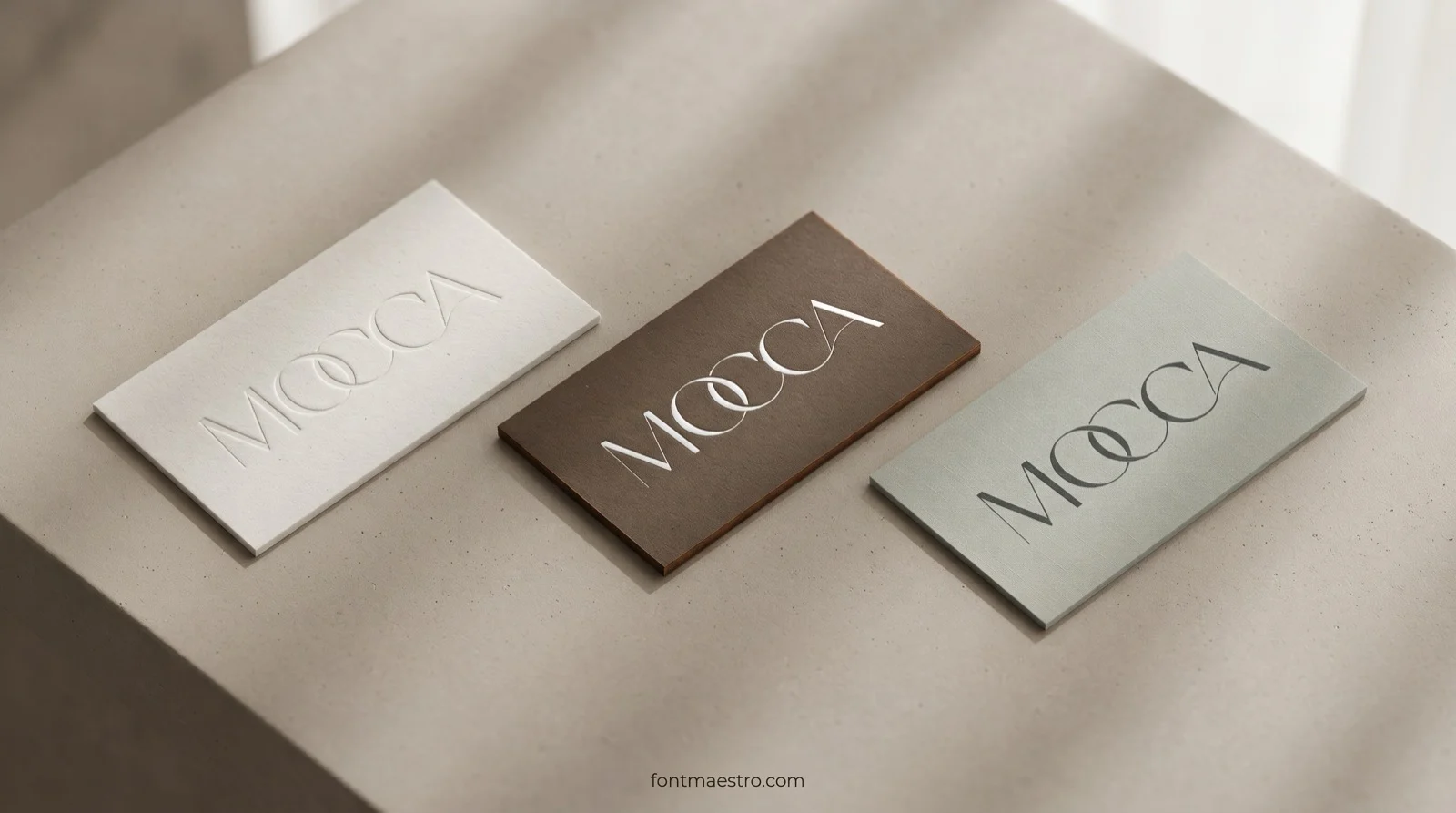
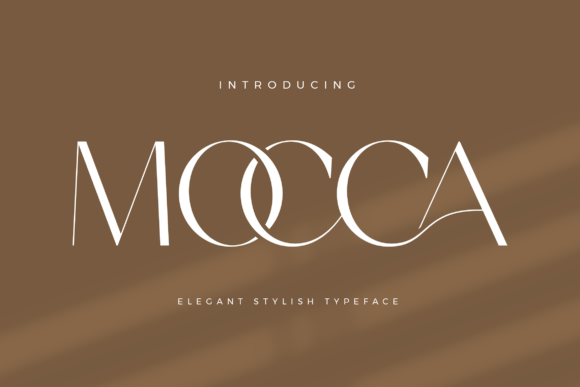
18. Mocca
A stylish display with thin, tall strokes and an elegant, airy look. Use it large, with a lot of white space.
Best for: art studios, design shops, boutiques.

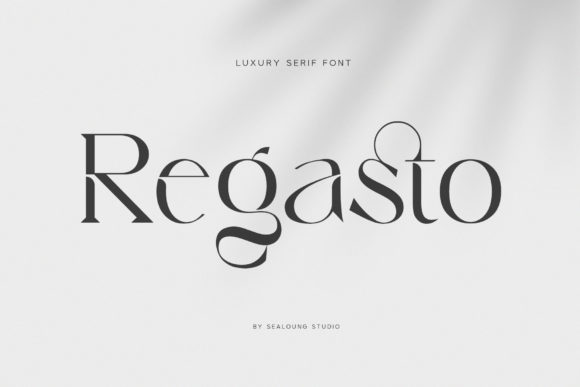
19. Regasto
A luxury serif with ligatures and a strong, modern shape that stays elegant in dark ink.
Best for: law and finance with a soft edge, premium brands.


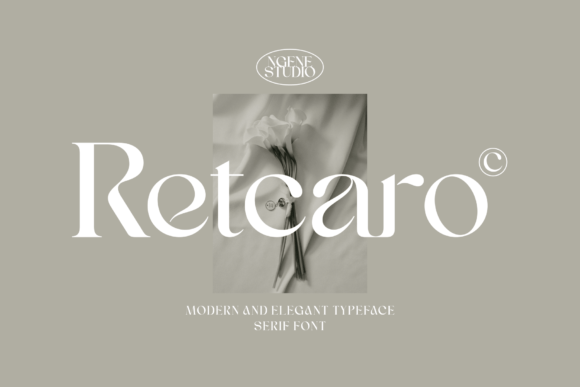
20. Retcaro
An elegant, modern serif with a strong character. Works for logos, badges and magazine-style names.
Best for: lifestyle brands, fashion, photographers.


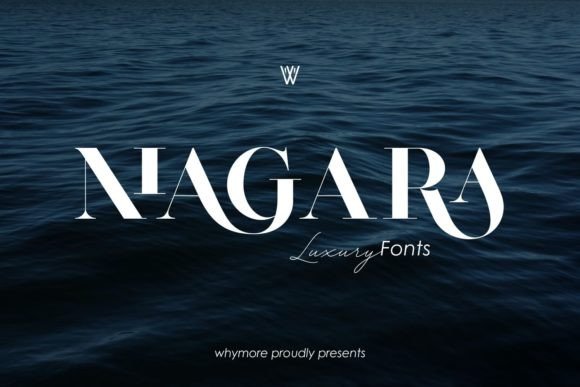
21. Niagara
A graceful serif with thin, sharp curves that brings a sense of luxury. Print it large and in solid ink.
Best for: luxury brands, wedding services, hospitality.


Six More Display Fonts From Our Earlier Shortlist
These stayed from the first version of this guide. Run the same test: type your name, fit it to the card width and read the size.

Alpha Apex
A bold, modern sans serif with rounded edges, made for logos and branding. A friendly name face that still prints cleanly.

Vancouver
A simple, bold sans serif for headlines and logo designs. A plain heavy name with no curls to close up at a small size.

Designer
A neat sans serif made for clarity and readability, with clean lines and balanced proportions. Best for the role and contact lines under a display name.

Healing
An elegant serif inspired by minimalist logos, suited to branding, layouts and invitations. A calm name face for a studio, clinic or boutique.

Lavish
A tall, elegant serif for cards, branding and labels. The tall shape helps a longer name stay on one line.

Limited
A bold, ultra-condensed sans serif with a tall structure and compact width. The closest match here to Bebas Neue for a long name that must stay on one line.
Related guides: elegant fonts, bold serif fonts, 45 font duos, cursive fonts for Cricut, Cricut fonts you can sell with and the font library.
How to Choose a Font for a Business Card
Type the real name and job title in the preview before you buy. A name that looks short in the designer’s sample can run off a 3.5 inch card, so compare the width of your own words. Limited fits the most letters per line; Soligant needs more room but looks softer.
Give the name one strong font and the contact lines a plain one. Thin hairline strokes, as in Mocca, look refined on screen but can break up in print, so use them large and in solid ink.
Mistakes to Avoid
- Setting the whole card in a display font. Keep it for the name and use a plain sans for the details.
- Choosing from the title alone. Type your own name in the preview first.
- Shrinking a wide font to fit. Pick a narrower one instead.
- Using hairline strokes in small print. Keep them for large type.
Licence Check
Every font page lists what the licence covers. A business card is a commercial use, so look for the commercial-use line before you start and keep the product page for your records. For pairing ideas, see our guide to Canva font combinations.
Card Sizing Guide: Why a Display Font Shrinks and What to Do
If you design in Canva, this part explains why a display font ends up too small on a card and how to keep the size.
Why a Display Font Shrinks on a 3.5 by 2 Inch Card
Business card fonts in Canva have one hard limit: a standard card is 3.5 inches wide. Take away a quarter inch of safe margin on each side and the name has 3.0 inches to live in.
A display font is drawn to be seen from across a room, so its letters are often wide, and a long business name needs more width than the card gives it.
The size you see in the editor is not a style choice. It is whatever size lets the line fit.
A wide face makes you shrink the line until it fits. A narrow face lets you keep it large. I check the width first for that reason, and you should too.
When the library has no face drawn narrower than the library offers, narrow fonts on Creative Fabrica are worth a look.
On a business card the size of a name is set by the width of the font, not by your taste.
So the useful question is not which display font looks best. It is how large your name can stay in each font. The next section answers it with one test line.
For the wider picture of fonts that work together in the editor, Canva font combinations is a good place to start.
One Name, Nine Fonts: Width Decides the Size
Take one line, NORTHFIELD DENTAL STUDIO. You get 24 characters in capitals. Set in each of these display fonts Canva offers on a live width of 3.0 inches, this is the largest size at which it still fits on one line.
| Font | Style | Size that fits 3.0 in |
|---|---|---|
| Bebas Neue | Condensed sans | 25.6 pt |
| Anton | Condensed sans | 21.7 pt |
| Oswald | Condensed sans | 20.6 pt |
| League Spartan Bold | Bold geometric sans | 16.7 pt |
| DM Serif Display | Serif | 16.1 pt |
| Playfair Display | Serif | 15.1 pt |
| Cinzel | Serif capitals | 14.3 pt |
| Julius Sans One | Light sans | 14.2 pt |
| Montserrat Bold | Wide bold sans | 13.7 pt |
The gap is large. Bebas Neue sets the name at 25.6 pt, while Montserrat Bold fits the same words at 13.7 pt. That is nearly twice the size for one name.
Both are common Canva headline fonts, and you will find both in the editor.
Mixed case changes the order a little. In Northfield Dental Studio with only the first letters capitalized, Bebas Neue stays at 25.6 pt because it has one letterform, Oswald reaches 24.7 pt, Anton 23.0 pt and League Spartan Bold 20.3 pt, and Montserrat Bold rises to 16.9 pt.
The narrow faces still lead.
Use this table before you fall for a font. If your name is long, start from the top of it. I would not even open the wide faces for a name of 24 characters or more, and you can compare more narrow faces before you decide.
Condensed Display Fonts That Keep the Size
Condensed faces are the direct answer to the width problem. Their letters are tall and narrow, so your long name stays large and a short one looks strong.
- Bebas Neue. A tall, slim, all-capitals sans. It gives the largest name in the table and works best for a company name in one line.
- Anton. Heavier than Bebas Neue and just as compact. It reads well from a distance and still holds at a small size.
- Oswald. A little softer, with lowercase letters that stay readable. A good choice if the name is a person and not a brand.
One rule keeps these working, and I keep to it: use them for the name and nothing else. Set in a long paragraph, a condensed face gets tiring. Keep the name to one line and add letter spacing so the capitals can breathe.
You then leave the rest of the card to a quieter font. If Canva does not offer a narrow face in the style you want, narrow display fonts on Creative Fabrica show what sits outside the library.
Bold Sans Display Fonts That Hold Up Small
A condensed face is not the only fix. A bold sans with a sturdy shape survives being small, because its strokes are thick enough to print cleanly.
- League Spartan. A heavy geometric face with a confident look. At 16.7 pt it fits the test name, which is the top of the usual name range for a card.
- Montserrat Bold. The most common bold sans in Canva. It is the widest of the nine, so you need to keep the name short or accept a smaller size.
- Open Sans Bold. A neutral choice for a person's name when you want nothing to compete with the logo.
Bold sans fonts look modern and print without trouble. They are also the ones that make a card look like a template.
You can fix that with a bold weight and open letter spacing, or with a second font that contrasts in shape. Playful, cute or dreamy faces are tempting for a bakery or a florist, but a sturdy bold sans survives the print.
For more of them, bold sans serif fonts with a license are one search away. For a closer look at which bold faces feel expensive, read modern bold fonts without the cheap look.
Serif Display Fonts That Keep Their Thin Strokes
The best Canva display fonts for a formal card are often serifs. Serif display fonts suit dentists, lawyers, florists and bakers. They suit anyone who wants the card to feel traditional.
Their weakness is the thin line, so you should pick the ones whose thin strokes are not too thin.
- DM Serif Display. High contrast with a sturdy body. At 16.1 pt it fits the test name, and its thin strokes are heavier than those of Cinzel or Julius Sans One.
- Playfair Display. A classic high-contrast serif. It fits the name at 15.1 pt and looks elegant, but it needs a solid print.
- Cinzel. Classical capitals, a good fit for a formal practice. It reaches 14.3 pt for the test name.
Serifs lose to condensed sans on size, so give them a shorter name or accept a smaller one. I use them when the card is meant to feel formal. For choosing between the many serif styles, serif fonts: how to pick the right style goes further, and elegant serif fonts with a commercial license gives a starting point for the ones Canva lacks.
Display Fonts That Look Good in Canva and Fail in Print
Your card is read from about the length of an arm. The screen at full zoom lies about that distance, so some fonts look perfect in the editor and weak in the hand.
- Hairline strokes. Light high-contrast faces lose their thinnest lines in print. Julius Sans One is light even in its regular weight, so at 14.2 pt its strokes are already thin before the printer touches them.
- Script faces. The curls that look elegant on screen close up when the name is small. Among Creative Fabrica fonts that name a business card in their description, 33 of 53 are script, calligraphy or handwritten. That is why so many cards carry a name nobody can read at first glance.
- Very tight spacing. Letters that touch when you zoom in on screen will touch on paper.
- Light text on a dark fill. The ink spreads a little and fills the open parts of thin letters.
The fix is simple. Zoom out, shrink the preview until it is the size of the real card, and check the name at that size.
I trust a font only after it reads there, and you will save a reprint by doing the same.
If a favorite fails the check, try sturdy display fonts with thicker strokes instead.
Sizes for the Name and the Contact Lines
Canva fonts for business cards follow one size rule. A reliable range for the main name on a card is 10 to 16 pt, and contact details should not go below 8 pt.
A narrow display font lets you reach the top of that range or go beyond it with a long name, which is why the width table matters.
- Name. One line, one size, the biggest the width allows. Bebas Neue, Anton and Oswald give 20 pt or more for the test name, so you can step down to leave room around it.
- Role or tagline. Two to four points smaller than the name, in the same font or a lighter weight.
- Contact lines. 8 pt or more, in a plain sans, with enough space between lines.
To test your own name, make a text box 3.0 inches wide inside the 3.5 inch card, type the name on one line and scale it up until it just fits. Read the size, then repeat in the next font. It takes a minute per font.
Do not shrink the contact lines to make the name look bigger. Your reader came to the card for a phone number, and a number they cannot read is a card they throw away.
If your name is too wide even in a narrow face, shorten the line or split it into two lines. You can also drop the display font for the name and keep it for a single accent word. For a name that must stay on one line, tall narrow fonts help.
Pairing a Display Name With Readable Contact Details
I limit a card to two fonts.
You need one display font for the name and one simple font for everything else. Display fonts are made for headings, and a simple sans is made for small text, so each does the job it was drawn for.
- Bebas Neue with Montserrat. A tall, slim name over a clean modern sans for contacts.
- League Spartan with Libre Baskerville. A heavy geometric name with a classic serif for the role and address.
- Playfair Display with Source Sans Pro. An elegant serif name with a neutral sans that stays readable small.
Change at least two things between the two fonts, such as shape and weight. If your pair looks almost the same, it reads as a mistake, not a choice. For the contact lines I reach for a plain face, and clean sans serif fonts cover that job.
For more on giving each font a single role, see font pairing: two fonts, one job each, and for logo-style names best fonts for business logos is a useful next read.
When the Canva Library Has No Fitting Display Font
The business card fonts Canva ships are the same for every user. Narrow display faces among them are few, and the ones in this guide are the ones other cards use.
If your name is long, or you want a face that other cards do not use, the library can run out.
Canva lets you go beyond it. On a paid plan you can upload your own font file to a Brand Kit, and common formats such as OTF, TTF and WOFF work. Two conditions matter:
- The plan. Uploading your own fonts needs a paid Canva plan. You should check in your own account whether a given font is free or Pro.
- The license. A business card goes to clients and is a commercial use. A font that is free to download is often personal use only, and a card for a business is not personal.
Read the license before you upload anything. I never assume a font that opens in Canva is one you may print on a business card for a paying client.
When you reach that point, look at display fonts that include a commercial license, so the license comes with the file.
Key Takeaways
- A display font shrinks on a business card because it is too wide for the 3.0 inches the name has, not because the size was a choice.
- The same name fits at 25.6 pt in Bebas Neue and at 13.7 pt in Montserrat Bold, so check the width before you fall for the look.
- Condensed sans fonts keep the size, bold sans fonts hold up small, and serifs need a sturdy thin stroke.
- Keep the name at 10 to 16 pt or more and the contact lines at 8 pt or more, in a plain sans.
- Uploading your own font needs a paid Canva plan and a commercial license.

FAQ
What font size should a business card name be?
A reliable range for the main name is 10 to 16 pt, with contact details at 8 pt or more. A narrow display font lets a long name stay at the top of that range or above it.
What are the best display fonts for a business card in Canva?
Bebas Neue, Anton and Oswald keep a long name large, League Spartan holds up small, and DM Serif Display and Playfair Display suit a formal card. Pick by the width of your name first.
Can I use a display font for all the text on a business card?
It is better not to. Display fonts are made for headings, so use one for the name and a plain sans for the contact lines, and keep the card to two fonts.
Can I upload my own font to Canva for a business card?
Yes, on a paid plan you can upload a font file to a Brand Kit. Common formats such as OTF, TTF and WOFF work, and the free plan stays with the library.
Can I use a downloaded font on a card for a client?
Only if the license allows commercial use. A font that installs and opens is not automatically licensed for client work, so read the license first.
How many fonts should a business card have?
Two at most: one display font for the name and one simple font for everything else. Change shape and weight between them so the pair looks chosen.
Ready to go past the library? Pick a display font with the license already cleared and fit your real name to 3.0 inches before you upload.

