You picked a Y2K font inside Canva, finished the logo, and sent the client the exported file. Then they asked for the font so their printer could set the packaging text, and there is nothing to send. The font never lived on your machine. It lives in Canva, and the license that let you use it stops at Canva’s edge.
Quick answer: Y2K fonts you pick from Canva’s own font list can be used in any design you export from Canva, including a logo you later register as a trade mark, but you cannot install them, hand them to a printer, or use them in any other tool. If the project needs the actual font file, upload your own Y2K font instead: buy one with an OTF or TTF file, then add it in Canva’s Brand Kit, which is a paid-plan feature. Everything below is sorted by which of those two situations you are in.
Three Y2K Fonts to Start With
Unlimited creative assets. Access to AI tools.
Commercial licence included.
Get downloads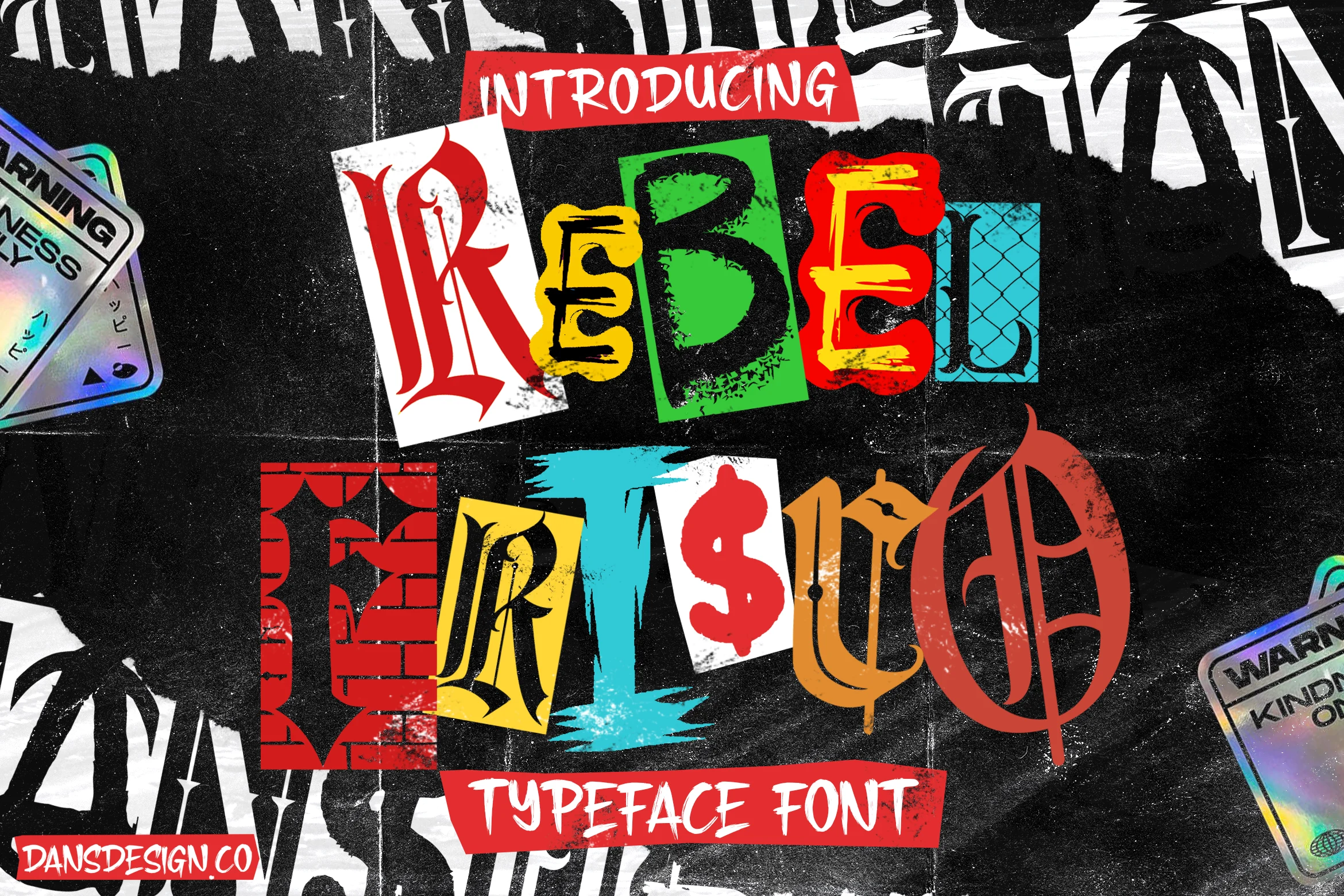
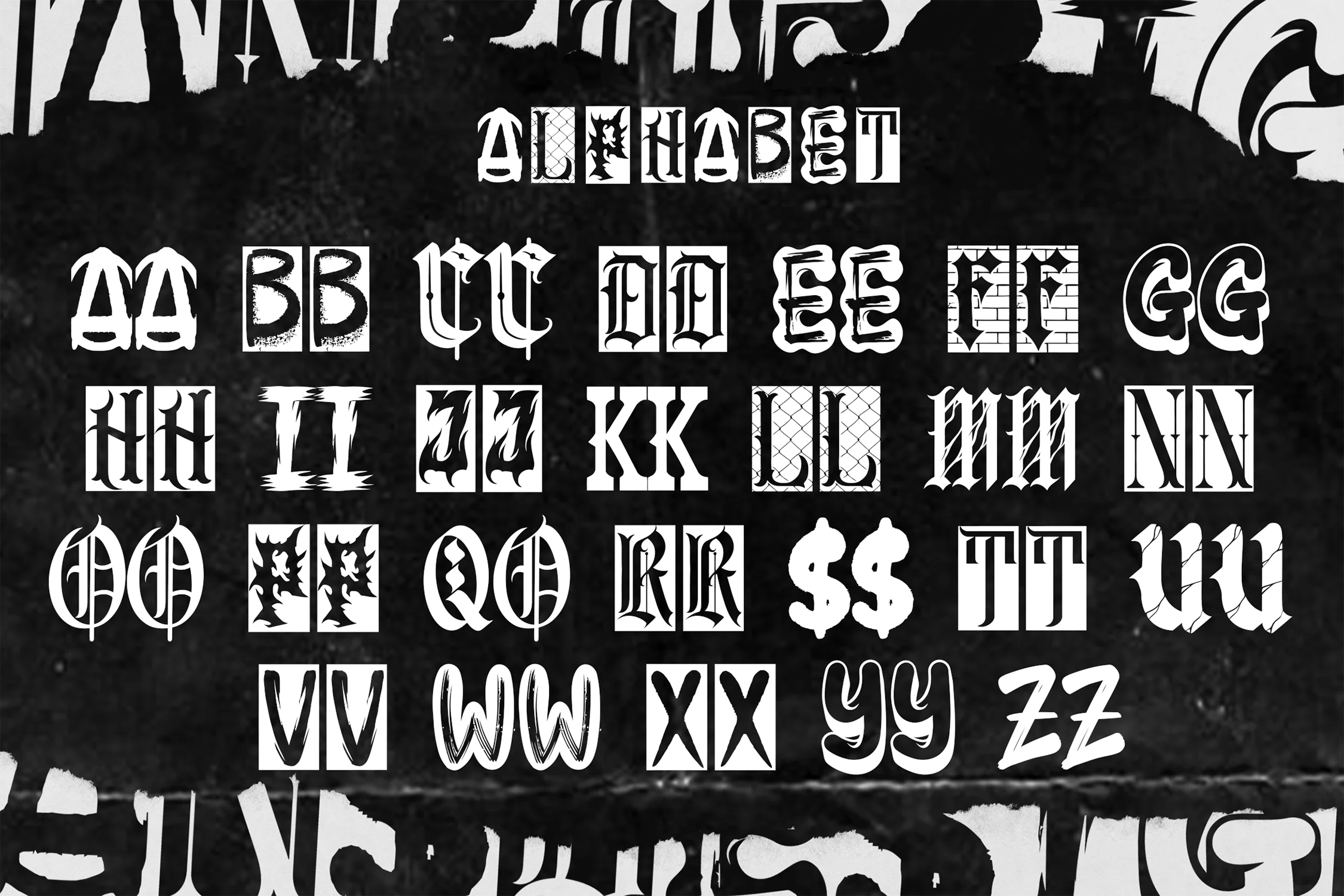
Rebel Frisco
Graffiti and urban Y2K: sprayed edges, uneven fills. Ships as OTF/TTF, so it leaves Canva when you need it to. Best for streetwear and band merch.
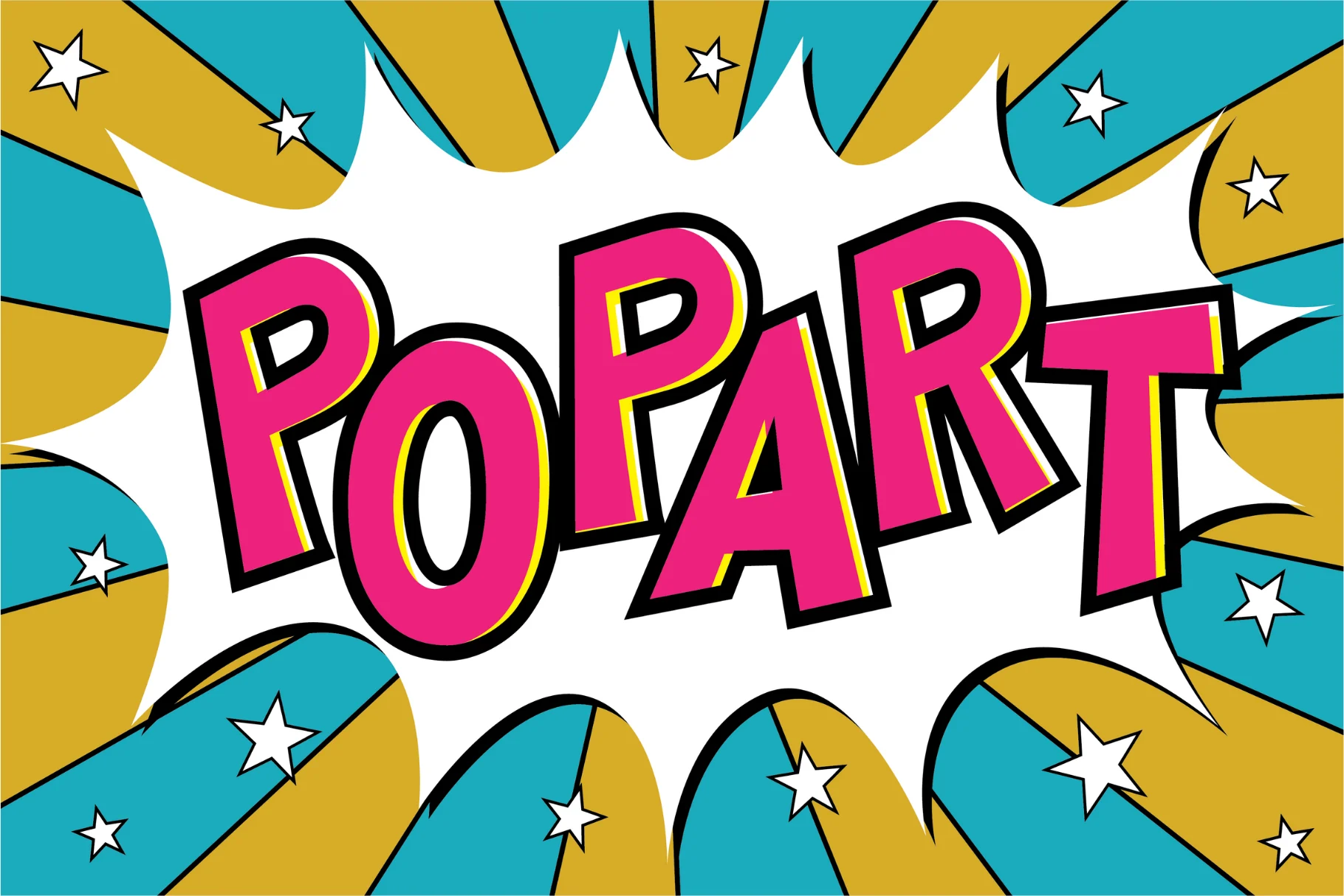
Pop Art
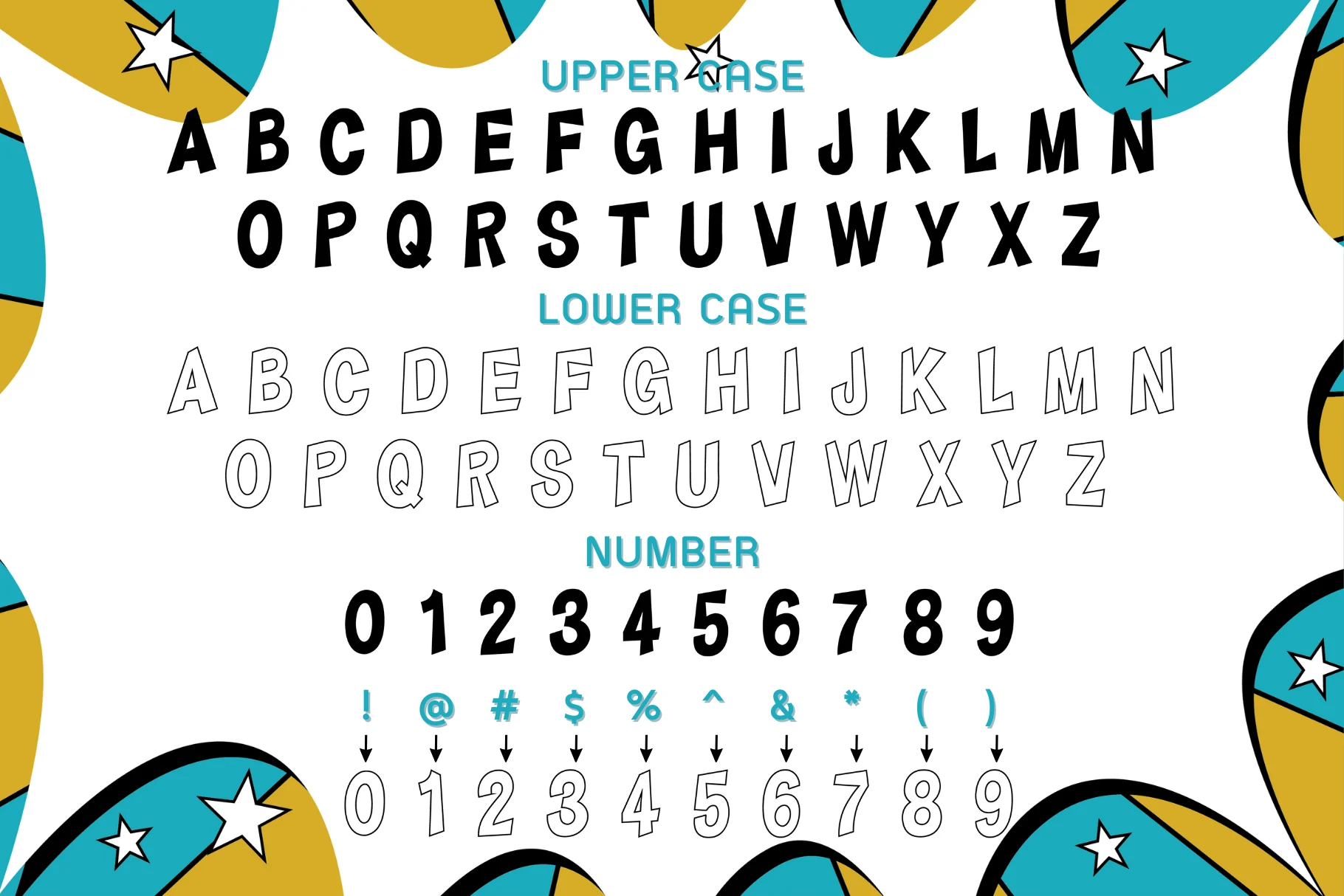
Chunky, stylized caps built for headlines, not paragraphs. Reads at poster size across a room. Best for event flyers and packaging, not a body font.
Perfect Lemonade
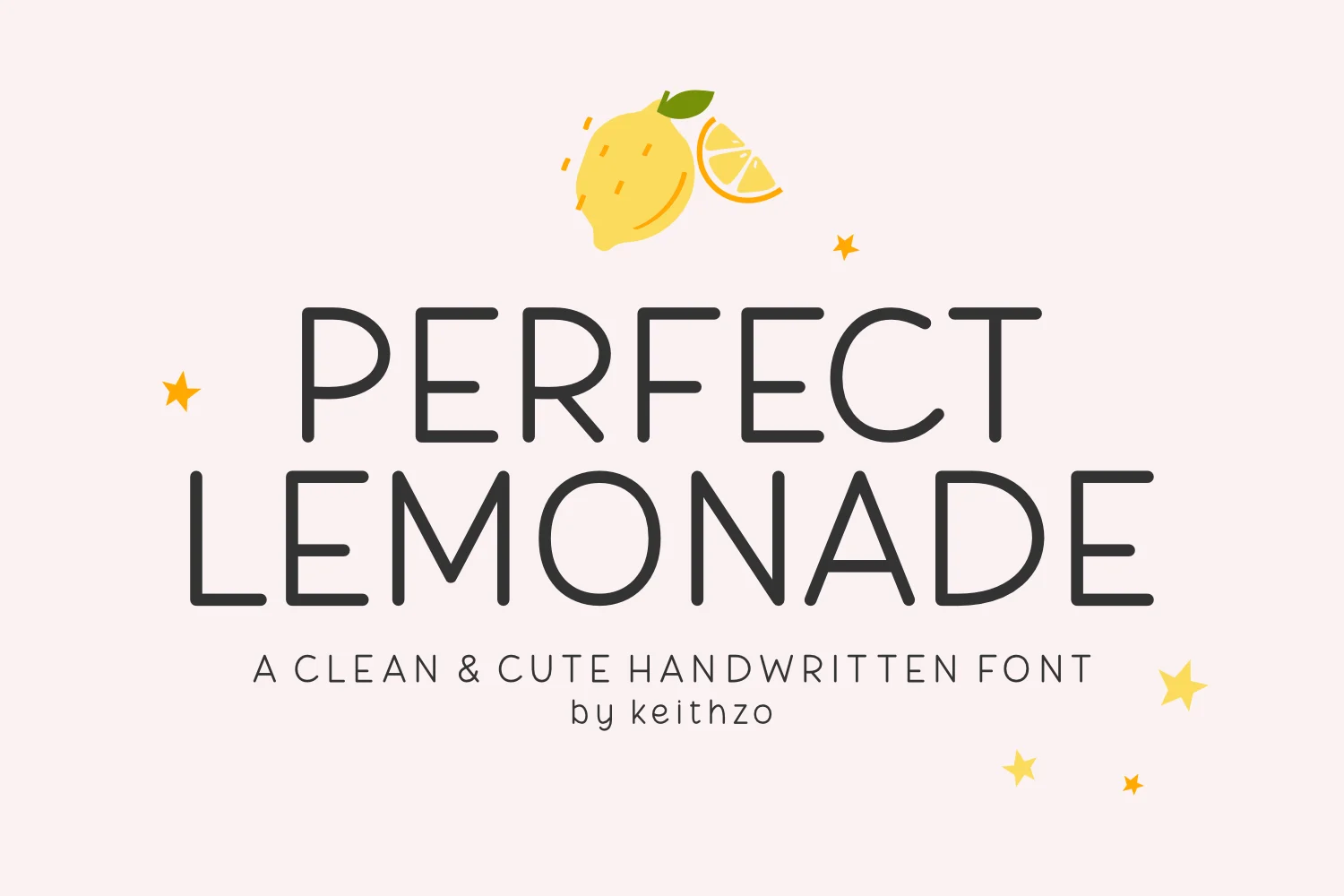
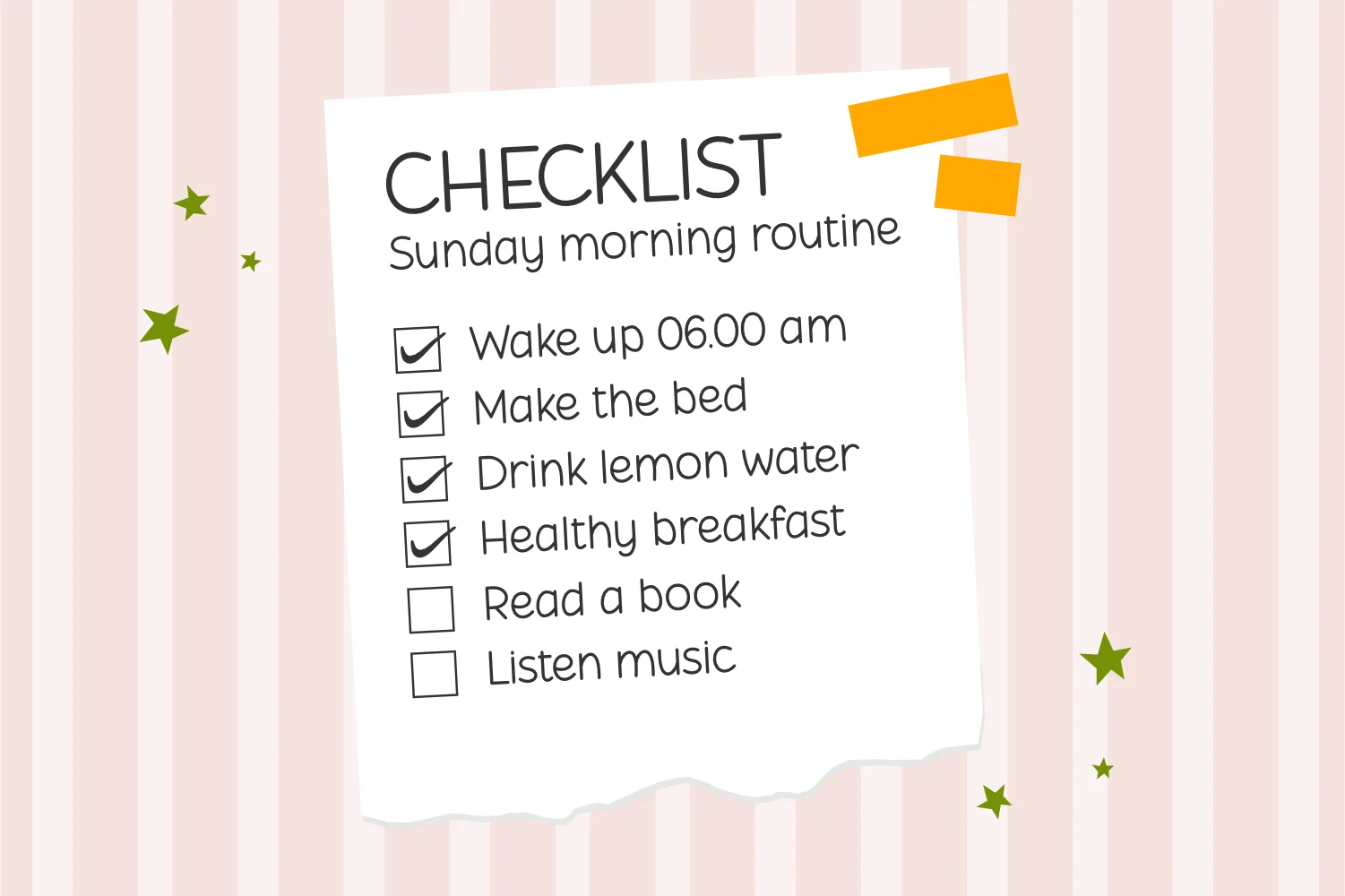
The coquette end of Y2K: soft handwritten strokes, not chrome or pixels. Best for stationery and journaling brands. Skip it where the brief wants an edgier look.
What a Canva Y2K Font Lets You Do, and Where It Stops
Canva’s content license draws one line, and almost every question about Y2K fonts in Canva sits on one side of it or the other.
Allowed: using the font inside Canva, and using it as part of a design you export from Canva. That covers a logo, a cover, a sticker sheet, a product label. The license carves fonts out of its own trade mark restriction, so a wordmark you set in a Canva font and export can go on to be registered. This is the part most people get wrong in the cautious direction: they assume a Canva font permanently blocks trademarking, and drop a font they were allowed to use.
Not allowed: installing the font on your computer, or using it anywhere other than Canva. There is no license path that ends with the font file in your hands, or in your client’s hands, or on a printer’s machine. Asking Canva support does not change this, and neither does having a paid plan. If you already know the project needs a file rather than a Canva-only look, Rebel Frisco above ships as OTF/TTF and drops straight into a Brand Kit.
| Canva-only font | Uploaded font file | |
|---|---|---|
| Use inside Canva | Yes | Yes |
| Export in a logo you later trade mark | Yes | Yes |
| Install on your computer | No | Yes |
| Hand to a printer or another tool | No | Yes |
| Needs a Brand Kit (paid plan) | No | Yes |
The practical test before you commit to a font inside Canva: does anyone outside Canva need to set type in this font later? A social post or a printed poster you export yourself is fine. A brand handover, a website heading, or a print shop setting your address block in the same face is not. In the second case, pick an uploadable font from the start, because switching after the logo is approved means redrawing it, and the rest of the logo font decision gets easier once that constraint is settled.
Why No Two Y2K Font Lists Name the Same Fonts
We read three published roundups of Y2K fonts for Canva and counted what they actually recommend. Between them they name 57 fonts. Two names appear in more than one list. Every other recommendation is a single writer’s pick, present in one list and absent from the other two.
That is not a scandal, it is what “Y2K” means as a style label. The look pulls from at least six separate visual families that all peaked around the same years: graffiti and urban lettering, pop-art bold caps, bold script retro, bubble and cartoon type, coquette handwriting, and kawaii display faces. A writer who thinks Y2K means graffiti and a writer who thinks Y2K means coquette handwriting produce lists with no overlap, and both are describing something real. Pairing a Y2K display face with a plain partner only works once you know which family you started from.
The useful move is to stop looking for the definitive list and pick your family first. Once you know you want bubble-cartoon rather than graffiti, the field narrows from hundreds of fonts to a handful, and the picks below are organised that way, one font per family. Pop Art from the grid above is the bold-caps end of that split.
A Y2K font you pick inside Canva can go into a logo you later trade mark, but the font file itself never leaves Canva’s edge — install it, hand it to a printer, or open it in any other tool, and there is no license path that allows it.
Y2K, Retro, and Vintage Fonts Are Not the Same Shelf
Every font, one commercial licence
The bundles I test at logo size live in one subscription — commercial use included, no per-font checkout.
Searches for Y2K Canva fonts, retro Canva fonts, and vintage Canva fonts land people in the same font lists, and the three words point at different decades. Vintage type usually means pre-war shapes: worn serifs, hand-painted signage, letterpress texture — the kind of contrast aged type versus a filter covers in more detail. Retro Canva fonts most often mean the sixties and seventies, warm and rounded rather than screen-born. Y2K sits at the turn of the millennium and reads as digital rather than handmade: chrome, gloss, pixels, and stretched techno sans, with Chicago Downton sitting right on the seam between retro script and Y2K bold.
If you brief a designer with the wrong one of those three words, you get the wrong decade back and lose a round of revisions. The quick sort: handmade and worn is vintage, warm and curvy is retro, shiny and screen-born is Y2K.
“Aesthetic” Searches: What People Are Actually Asking For
A large share of the traffic for this topic arrives through the word aesthetic rather than through a font name, and the word hides three different requests. Sorting them out first saves you downloading the wrong shelf.
| What people search | What they usually want | Where it goes wrong |
|---|---|---|
| Canva fonts aesthetic Y2K | Graffiti, pop-art, bubble and coquette faces for social graphics | Picked inside Canva, then needed as a file later |
| Canva fonts aesthetic retro | Seventies and eighties shapes, warmer and rounder than Y2K | Mixed with Y2K in one layout, so neither era reads |
| Canva groovy fonts aesthetic | Wavy baselines and bulging counters, the seventies poster look | Set at paragraph length, where it stops being readable |
| Best retro Canva fonts | A shortlist someone else has already filtered | Every list filters by taste, so the lists do not agree |
The practical rule for all four: decide the era before you decide the font, and use one era per layout. A groovy display face over a chrome subhead is not a combination, it is two decades arguing inside one graphic. Pick the era, pick one display face to carry it, and keep everything else plain — the same logic behind any working Canva font combination. The same era-first rule holds once you move past display faces into picking a serif for the body copy that has to sit next to it.
On the fourth row, the honest answer is that best retro Canva fonts lists are ranking preference rather than anything measurable, which is what the count above shows. Use them as a source of names to try — Perfect Lemonade is the softer coquette answer to an “aesthetic” search that turns out to want handwriting, not chrome — and judge each candidate on whether you can keep the file when the project outgrows Canva.
Y2K Fonts You Can Upload and Keep
Six fonts, one per Y2K sub-style, so nothing here competes with anything else on the list. Each one had to clear three things to make it: its listing states Canva compatibility, the design reads as Y2K rather than as generic display type, and the family it covers was not already represented.
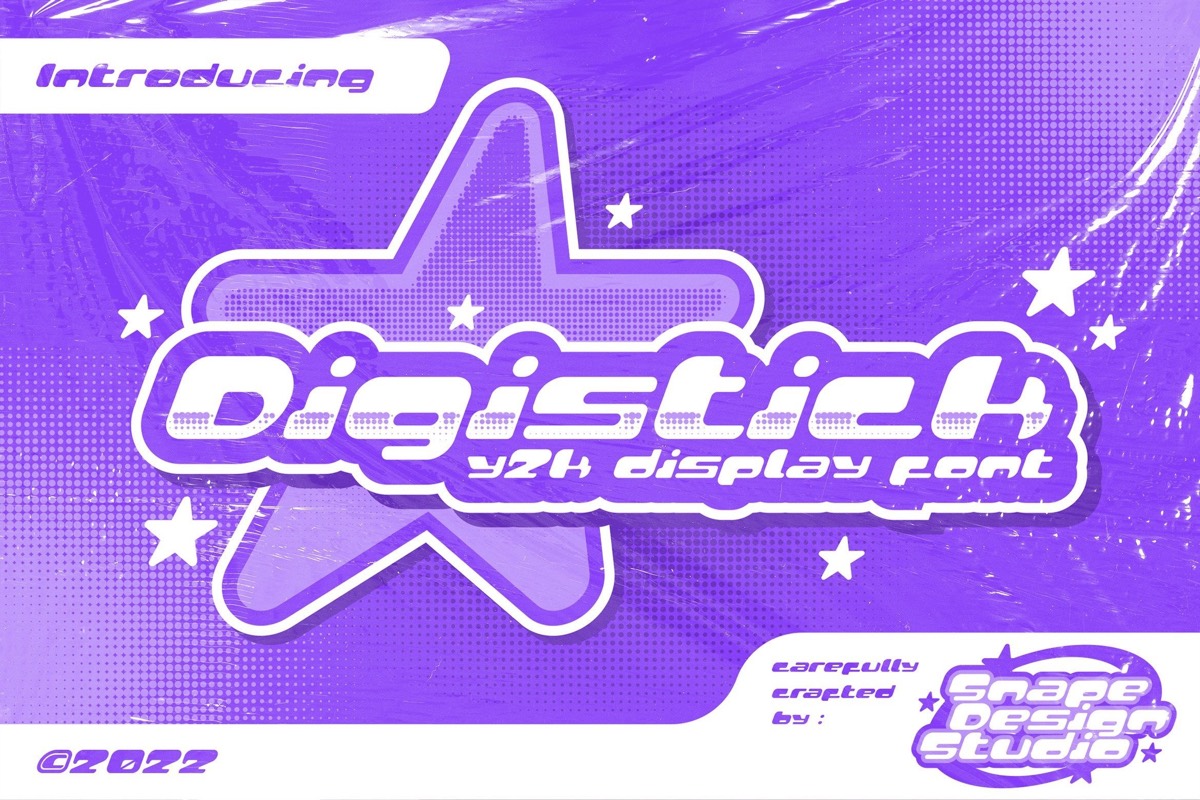
One thing the list does not sort by is popularity. Save counts on these six range in the single digits to the low thirties, and the low ones are mostly recent releases rather than rejected ones, so a small number next to a font on the marketplace tells you when it was published more than whether it is any good. Judge them on the family they cover and on how they look at your size. Rebel Frisco, Pop Art, and Perfect Lemonade are above; the other three sub-styles are below.
Unlimited creative assets. Access to AI tools.
Commercial licence included.
Get downloads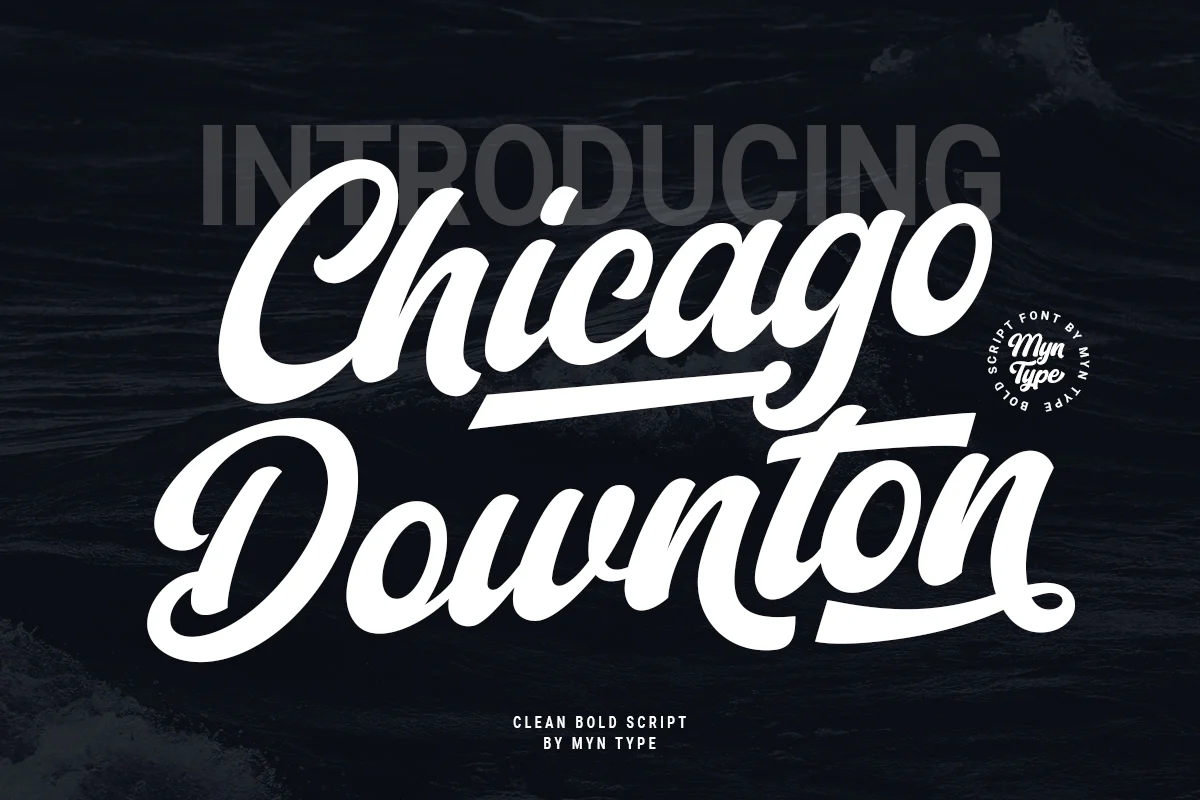
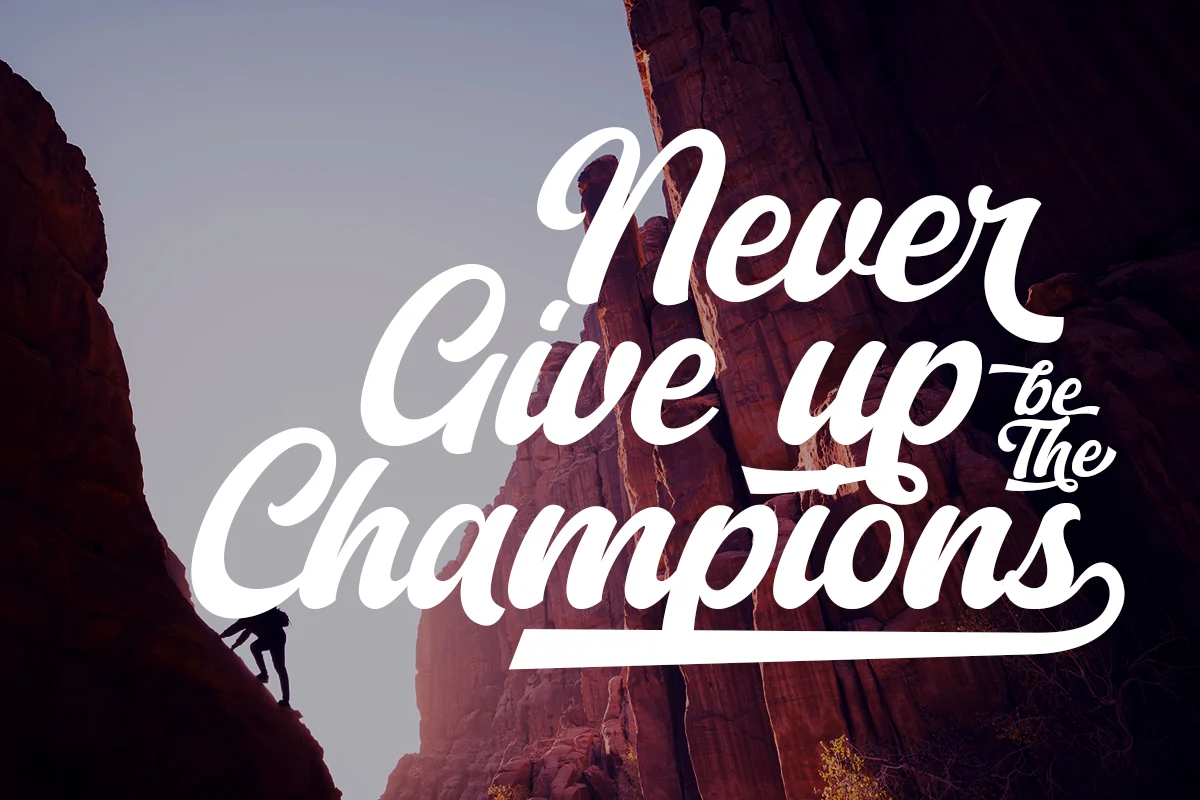
Chicago Downton
Bold script with a baseball-jersey lean, the retro-Y2K bridge font. Best for merch and logotypes wanting a vintage-sport read. Loses legibility below body-text size.
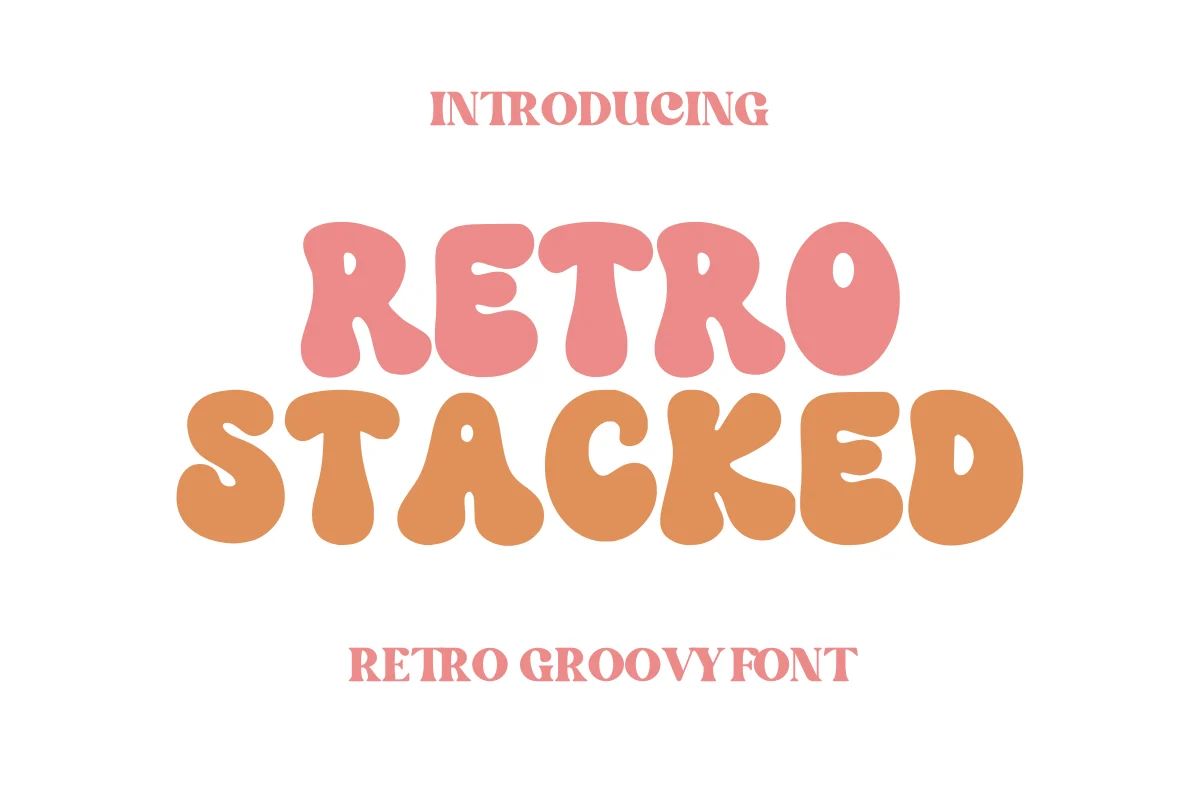
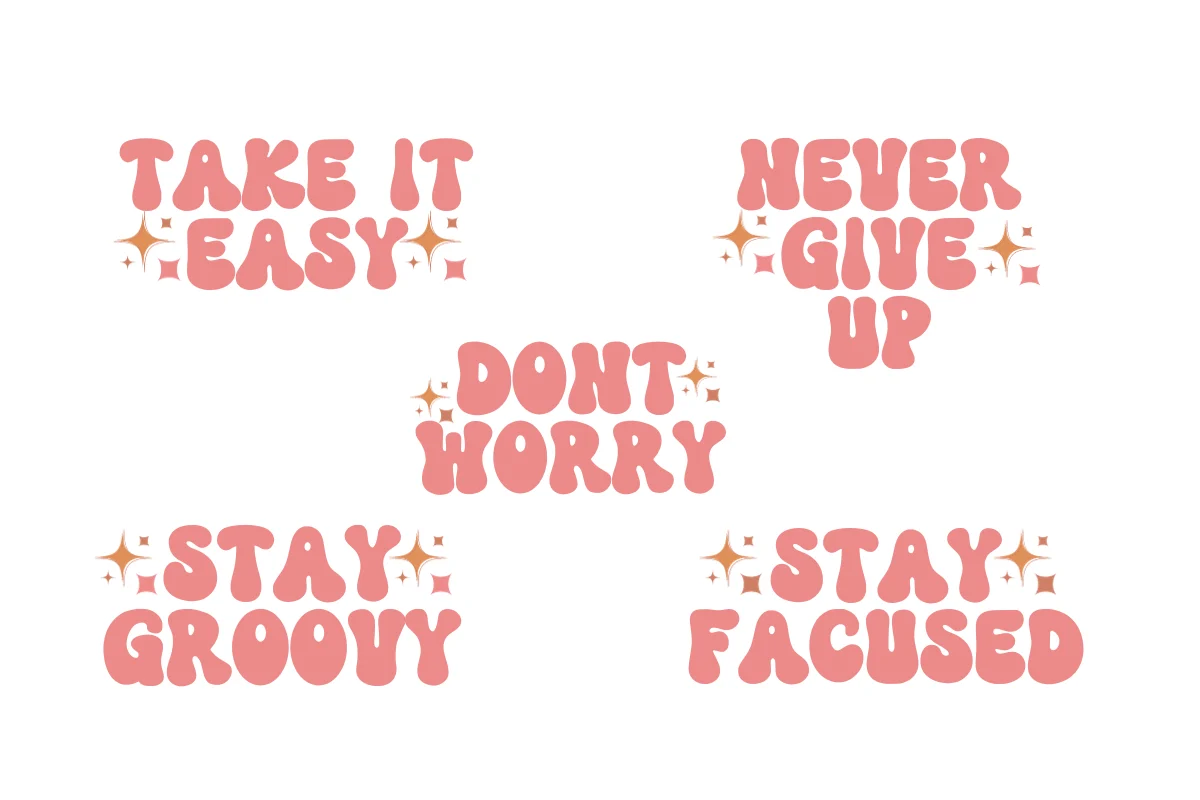
Retro Stacked
Rounded, stacked bubble letters, the cartoon end of the shelf. Best for packaging, book covers, kids’ brands. Too playful for anything wanting to read as serious.
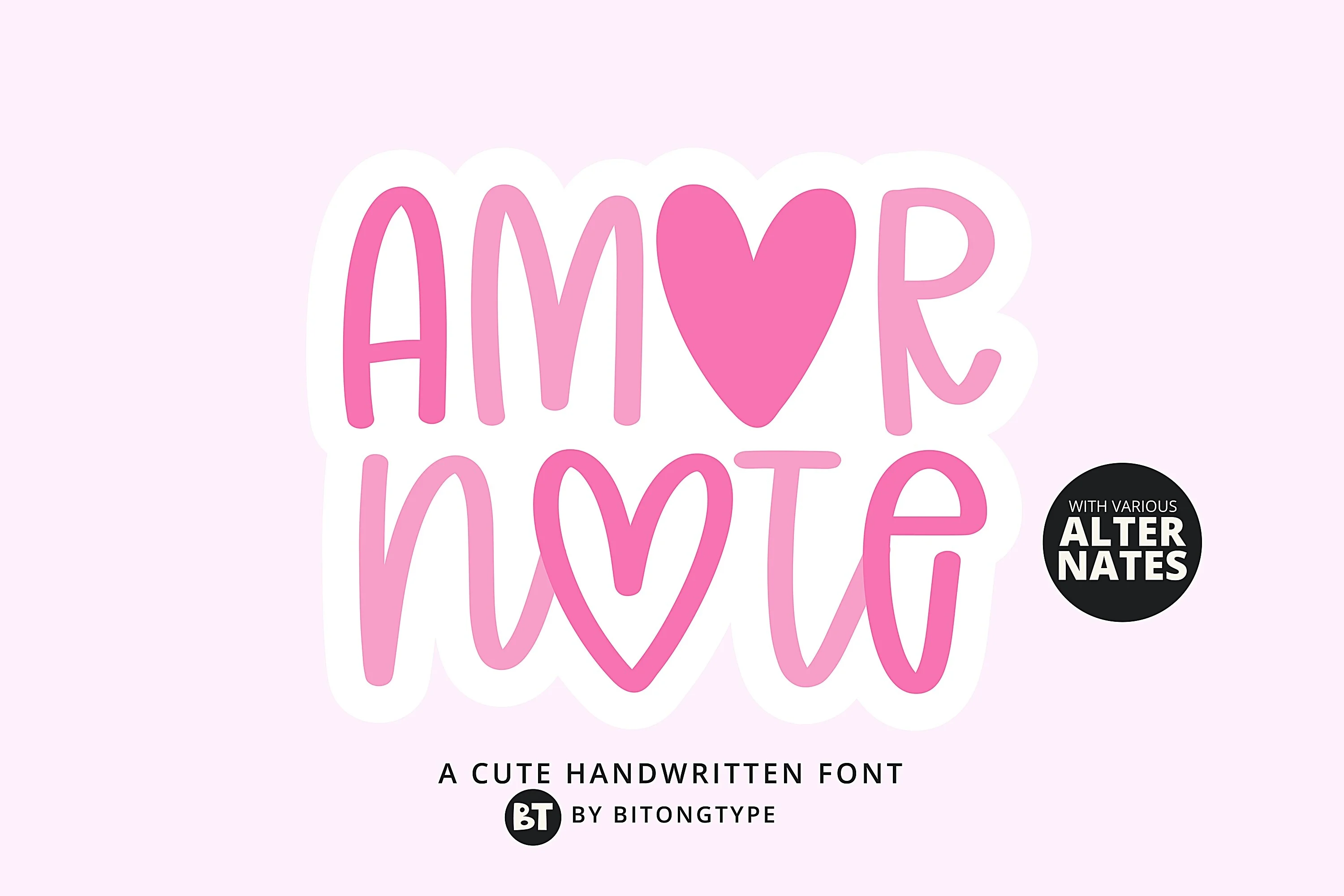
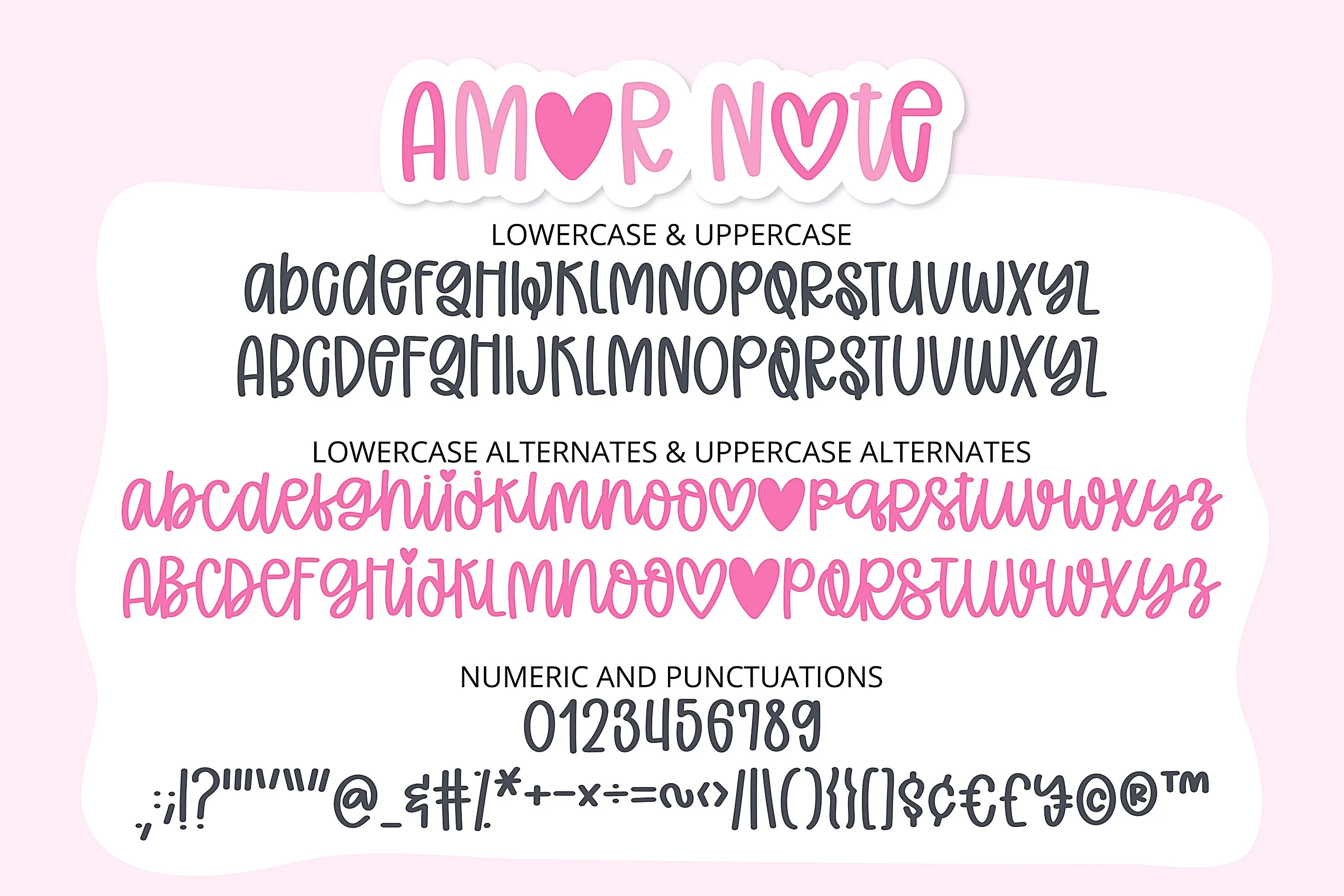
Amor Note
Friendly, informal handwriting with a kawaii lean. Best for chalkboard-style quotes, stickers, journaling. Reads as casual, not the pick for a formal logo.
Check the File Format Before You Buy, Not After
Canva accepts three font file types on upload: OTF, TTF, and WOFF. It does not accept ZIP, EOT, SVG, or WOFF2, and it does not accept vector artwork of letters, which is a different thing from a font even when it is sold on the same page.
This matters more than it sounds. Plenty of Y2K-style listings name AI or SVG in the format field rather than OTF or TTF. Font products often do include the installable files in the download regardless of what the format field says, but that is not a basis for a client deadline. Read the format list or the what-you-get section on the product page before you buy — Retro Stacked‘s listing states its formats up front, which is the standard to hold every other candidate to — and if neither one names OTF or TTF, treat that as unconfirmed rather than assumed.
Two more conditions apply on the Canva side. Uploading fonts to a Brand Kit needs a paid plan, so a free account cannot bring its own Y2K font at all. And the font’s own license has to permit embedding, which is standard on commercial-use font products but worth checking on anything free you found elsewhere.
Two Fonts We Left Off
Every font, one commercial licence
The bundles I test at logo size live in one subscription — commercial use included, no per-font checkout.
Papyrus and Hobo both turn up in Y2K font roundups, and neither belongs there. Papyrus was designed in 1982 and released the following year. Hobo goes back to 1910. Their presence in these lists is a decent illustration of how “Y2K” gets used as a synonym for “not a normal font” rather than as a period reference — a mislabel a face like Chicago Downton does not have, since its shapes trace straight back to the turn of the millennium. The same confusion shows up around free Cricut fonts sold as Y2K that are really just bold sans faces with a filter applied.
The reason to care is not pedantry. Both fonts are heavily associated with other things already, Papyrus with wellness and fantasy branding, Hobo with a particular era of casual signage, and neither association helps a Y2K brief. A reader who recognises the font at all will read the wrong decade off it.
Mistakes That Cost You the Font Later
Building the whole identity in Canva before checking who else needs the font. The web developer, the packaging printer, and the sign maker all set type themselves. If your font cannot leave Canva, each of them substitutes something, and the brand drifts across every surface.
Judging a Y2K font from the marketplace preview. Previews are set huge, on a background chosen to flatter the font. Graffiti, chrome, and outline styles in particular look best exactly there and worst at the sizes real projects use.
Using a decorative Y2K face for everything. One display font for the name, one plain sans for the rest — pair Pop Art or any other loud pick with a quiet partner, the same logic behind any working Canva font combination. All Y2K, everywhere, and the design stops reading as a reference and starts reading as a costume.
Assuming the free tier and the commercial license are the same question. They are separate. A font can be free to download on a subscription and still carry terms about what you may sell with it, so read the license on the product page rather than inferring it from the price.
Key Takeaways
- A Y2K font chosen inside Canva works in anything you export from Canva, including a logo you later register, but the file itself never becomes yours.
- If anyone outside Canva has to set type in the same font, buy an uploadable one before the logo is approved, not after — Rebel Frisco is one that ships as OTF/TTF from the start.
- Y2K is six visual families, not one look. Pick graffiti, pop art, bold script retro, bubble-cartoon, coquette, or kawaii first, and the shortlist gets short fast.
- Canva accepts OTF, TTF, and WOFF uploads on paid plans only, and 500 fonts is the Brand Kit ceiling.
- Most Y2K-style listings name AI or SVG in the format field rather than OTF or TTF, so confirm the format on the product page before you count on it.
FAQ
Can I use a Canva Y2K font in a logo I want to trade mark?
Yes, provided the logo is a design you exported from Canva. Canva’s content license restricts using its content in a trade mark but excludes fonts from that restriction. What you still cannot do is install the font or use it outside Canva, so the logo file travels and the font does not.
Why can’t I download a font I used in Canva?
The license covers use inside Canva and inside designs exported from Canva. Installing the font software on a device, or using it in any other tool, falls outside it. There is no upgrade or support request that unlocks the file.
How do I add my own Y2K font to Canva?
Buy or download a font that includes an OTF, TTF, or WOFF file, then upload it in your Brand Kit. Uploading fonts requires a paid plan, and a Brand Kit holds up to 500 fonts. The font’s license also has to allow embedding, which commercial-use font products normally do.
Which Y2K style should I pick for a small business logo?
For a name that has to stay legible on a shopfront, a receipt, and a phone screen, a restrained bold pick like Chicago Downton holds up better than chrome or pixel effects. Loud graffiti and coquette scripts need size and contrast that a small business logo rarely gets.
Are free Y2K fonts safe for commercial work?
Free to download and free to sell with are two different permissions. Check the license section on the product page for commercial use, and check it again if you plan to put the font on merchandise, which some licenses treat separately. The same question comes up with cutting machines, where selling with a Cricut font depends on the identical license line.
What are the best Y2K fonts for Canva?
There is no single agreed list, since Y2K covers at least six visual families: graffiti, pop art, bold script retro, bubble-cartoon, coquette, and kawaii. The six picks above cover one font per family, so start there and narrow by which look matches the brief rather than chasing a ranked list. Amor Note is the answer if the brief turns out to want soft and handwritten rather than loud.
Can you download fonts in Canva to use outside it?
No. Canva’s own font library, including the Y2K fonts built into Canva, stays inside Canva and inside anything you export from it. To get a file you can install on your computer or hand to a printer, buy a font elsewhere and upload it to your own Brand Kit instead.
What fonts are available in Canva by default?
Canva ships with its own built-in library plus whatever Google Fonts and marketplace fonts are linked into your account, and that list changes over time. Anything in that built-in list is covered by Canva’s content license, which is the license this article is about, not a separate one per font.
Ready to buy rather than browse: Retro Stacked and the other five picks above all confirm their file formats on the product page before checkout, so start there instead of a general marketplace search.