Your sign has to say the same thing in Japanese, Chinese and English. You set the English line in a heavy font you like, add the other two lines, and the layout falls apart. You see the English shouting and the Japanese looking timid, and you cannot say why. The cause is almost always weight: three scripts, three different ideas of what “bold” means.
Below you get the free fonts that solve most of this, the rule that picks the right regional version, and a way to match your English line to the other two. Then I show you the one place where the free answer stops and what I do there.
Quick answer: For Japanese and Chinese text, use Noto Sans CJK or Source Han Sans, both free under the SIL Open Font License, in the Bold weight, or in Black or Heavy for a headline. Pick the regional version that matches the language of the text. For the English line, match the visual weight to the CJK line instead of matching the weight name.
When the English line needs more character than the built-in Latin letters, browse Latin display fonts with a commercial license on Creative Fabrica.
Why One Bold Setting Fails Across Three Scripts
If you want a Latin line with more weight than the built-in one, you can compare bold display fonts on Creative Fabrica while you read. I also keep bold fonts for posters and packaging open for the Latin line.
A Latin letter is a few strokes with plenty of white space around them. A Japanese or Chinese character can pack a dozen strokes into the same square.
When you set both at the same “Bold”, you see the dense character get darker faster, and the English line looks thin beside it. When you pick a chunky display face for the English, you get the opposite: it overpowers the characters.
So “bold” is not a shared unit. It is a setting inside each font, and you cannot trust the name. Your job is to make three lines read as one voice, and I judge that by eye, not by the weight name. You should do the same.
In a three-script layout the weight name is a label, not a measurement. Match how heavy the lines look, not what the menu calls them.
The Free Answer: Noto CJK and Source Han
When you search for bold Chinese fonts and bold Japanese fonts, you land on two font families that answer the question, and they are the same design under two names. Noto Sans CJK comes from Google and Source Han Sans from Adobe.
Both cover Japanese, Simplified Chinese, Traditional Chinese and Korean, and both ship in several weights. You also get a serif version in each family, and both are released under the SIL Open Font License.
The licence is the part that matters for your work. You may use these fonts commercially, and you may hand the file to a client together with the licence text. You get Latin letters in the same file, so you can set a quick mixed line without a second font.
If your project is a menu, a poster, a slide deck or a social post, you can stop here. I count this as a complete answer, and the rest of the article is about the cases where it does not fit you.
If the Latin line needs more character, you can look at bold Latin fonts on Creative Fabrica. The Latin letters are all it covers, so keep the kanji and hanzi in Noto or Source Han.
JP, SC or TC: Pick the Right Regional Variant

The same Han character can be drawn differently in Japan, in mainland China and in Taiwan or Hong Kong. You will see fonts label each version JP, SC (Simplified Chinese) and TC (Traditional Chinese), plus KR for Korean.
The rule is simple: you choose the variant by the language of the text, not by the country of the client. If you write Japanese, you use JP, even on a Chinese sign. For Simplified Chinese you use SC, and for Traditional Chinese you use TC. If you set Japanese text in an SC font, many characters render with shapes that a Japanese reader sees as slightly wrong, and you will not get that past a native reader.
In a layout with both languages, you end up with two different CJK fonts in one file, one for each line. I know it looks like extra work, and it is the step that makes your result look native.
To give the Latin line the same regional mood, you can try Japanese-style Latin fonts on Creative Fabrica. The Latin letters are all it covers, so keep the kanji and hanzi in Noto or Source Han.
How Heavy Is Heavy: Bold, Black and Heavy Compared
The weight ladders of the two families differ at the top. You will find that Noto Sans CJK ends at Black and Source Han Sans ends at Heavy. Both sit above Bold, and you can use either for a headline.
- Bold. Your safe default for a subhead or a short line of body text, because you can read it well at small sizes.
- Black or Heavy. Your headline weight. When strokes get thick, the counters inside dense characters begin to close, so you should keep the size large.
- Beyond the ladder. You will not find a heavier style in these families. If your layout needs a poster-style slab for the characters, you need a different CJK display font, and that is a separate search.
I check a heavy CJK line by shrinking the preview to a thumbnail. If you see the characters turn into dark blocks, drop one step down the ladder.
When Black is not heavy enough for the Latin line, you can browse heavy display fonts on Creative Fabrica. The Latin letters are all it covers, so keep the kanji and hanzi in Noto or Source Han.
Latin Beside CJK: Match the Weight, Not the Name
The Latin letters inside a CJK font are usually a clean sans serif. They sit well beside the characters because they were drawn for that. I often leave the English line in the same font as the other two, and you can do the same for a quick fix.
The trouble starts when your English line comes from a different font, for example a brand typeface. To match it to the CJK line, you do three things:
- Set both at the same size and compare the darkness. If you see the English look lighter, move it up one weight. If it looks heavier, move it down.
- Compare the height. Latin capitals often look larger than the CJK characters at the same point size, so you can reduce the English size a little to bring the two lines level.
- Compare the shape. You pair a geometric, even-stroked sans with the clean strokes of a gothic-style CJK font. If you choose a decorative English face, give it a quiet CJK font, not another loud one.
You can compare bold display fonts on Creative Fabrica. The Latin letters are all it covers, so keep the kanji and hanzi in Noto or Source Han.
How to Set a Mixed Line in CSS, InDesign and Canva
Multilingual fonts are only half of your job. A single line that holds all three scripts needs one rule: you give each script the font that suits it.
- CSS. You list the Latin font first and the CJK font after it in the font-family stack. The browser takes each character from the first font that has it, so your English comes from your brand font and the characters fall through to the CJK font. Set the lang attribute on the element so you get the correct regional shapes.
- InDesign. You build a composite font. It lets you assign the Latin range to one font and the Japanese or Chinese range to another, then you use the pair as a single font in a style.
- Canva. You select the English words and the CJK words separately and set a font for each. It is slower than a stack, but I use it for a sign or a social post.
For the English line of a mixed headline, you can pick a Chinese-style Latin font on Creative Fabrica. The Latin letters are all it covers, so keep the kanji and hanzi in Noto or Source Han.
Spacing and Line Height for a Bold Multilingual Headline
Pairing rules carry over here, and you can read font pairing: two fonts, one job each to see why each line needs one job.
CJK characters sit in an even square, so you need no letter-spacing, and adding it makes your line look broken. Latin letters, in contrast, often need a little tracking when you set them at a heavy weight.
Line height needs care too.
Dense characters need more air between lines than English text does, and you will see a mixed block look cramped on the CJK lines if you use the English line height. When you stack the lines, give the CJK lines the larger leading, and align them to a shared baseline grid so your block does not wobble.
Where the Free CJK Answer Stops
Noto CJK and Source Han are a complete answer for the characters. They stop being enough for you in three places, and each shows up late in the work.
- Character in the English line. The Latin letters in these fonts are plain. For a brand name, a sign or packaging, you often need more personality than a neutral sans.
- Weight above Black or Heavy. The ladder ends there, so you cannot get a fatter poster headline from these families.
- The licence of the display font next to them. The CJK part is clear under the SIL Open Font License. The English display font you pick to go beside it is where a personal-use licence hides, and you meet that problem the moment the layout goes to a client.
I want to say plainly what a paid font cannot do for you here. Among the Creative Fabrica fonts that passed a demand check for CJK, kanji, hiragana and traditional Chinese queries, none carries reviews and names CJK coverage.
The paid market answers the Latin line, not the characters. So you keep the characters in Noto or Source Han, and you let a paid font cover the English line beside them.
You can find a Latin display font that includes a commercial license on Creative Fabrica. The Latin letters are all it covers, so keep the kanji and hanzi in Noto or Source Han.
Latin Display Fonts With a Commercial License to Sit Beside CJK
These three come with a commercial license through Creative Fabrica. They set Latin letters only. You do not get Japanese or Chinese characters, so you still take the characters from Noto or Source Han, and these fonts take your English line.
Unlimited creative assets. Access to AI tools.
Commercial licence included.
Browse allCommercial license included
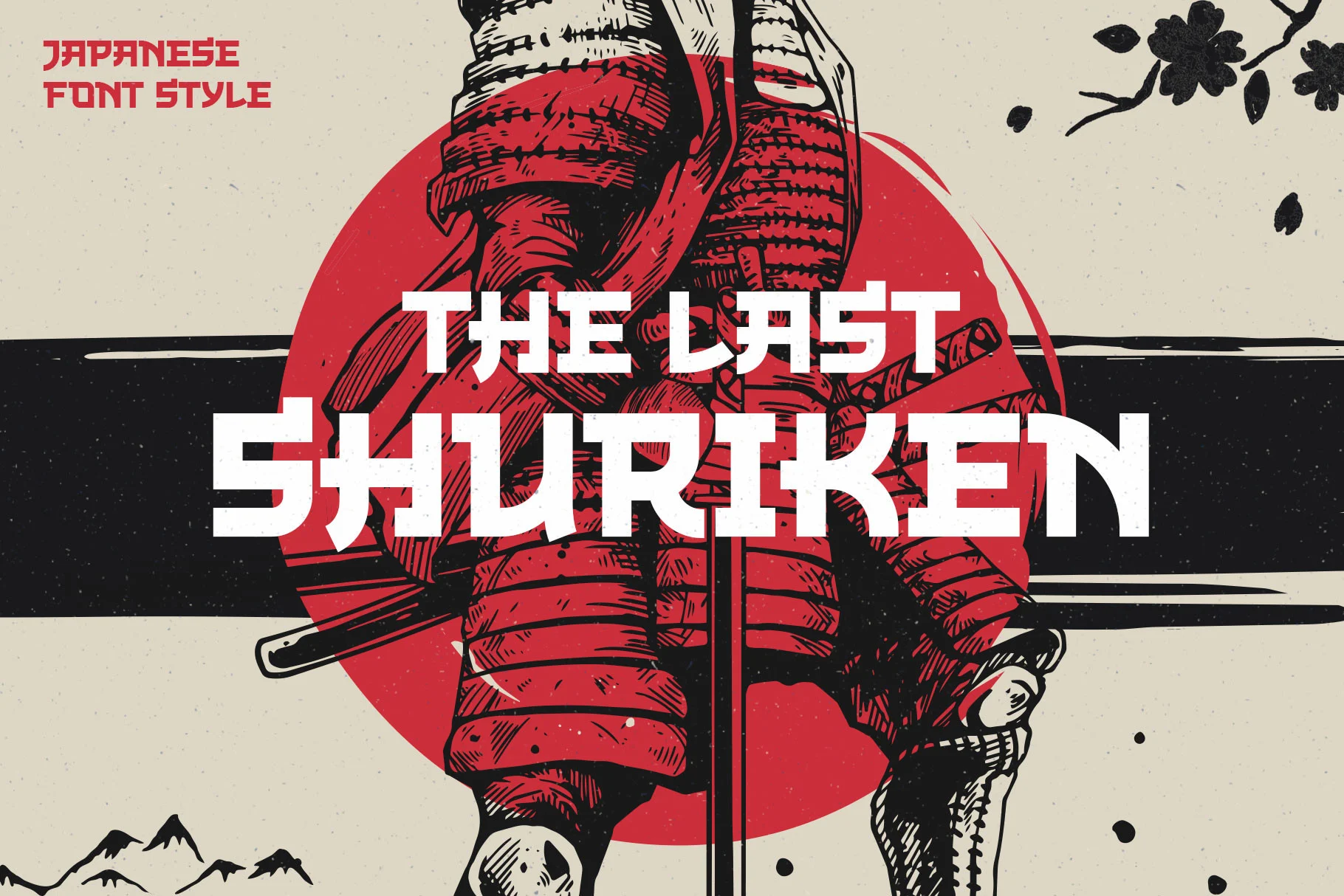
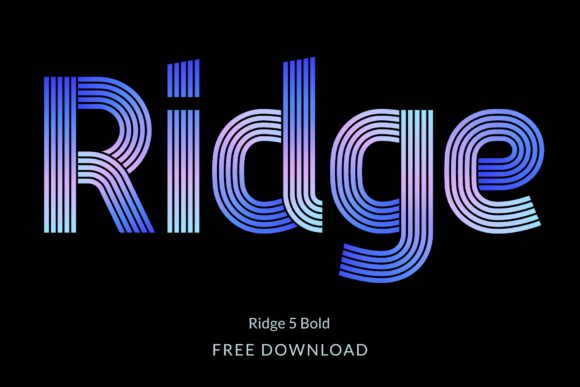
The Last Shuriken
A Japanese-style display font inspired by modern Japanese food branding and anime titles, set in a bold stroke, all caps. Latin letters only. Best for the English name on a ramen menu or a game poster beside real Japanese text.
Commercial license included
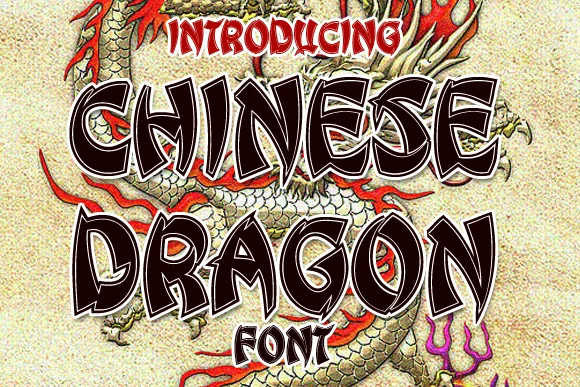
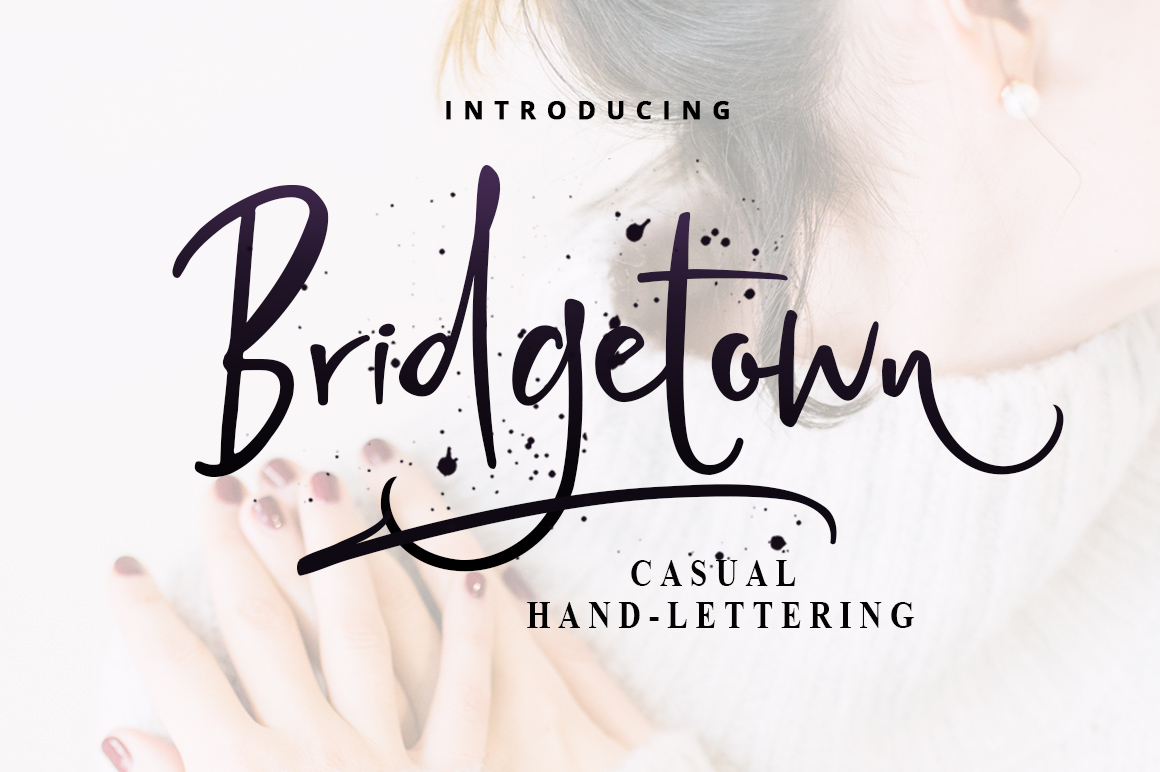
Chinese Dragon
A bold display font inspired by traditional Chinese calligraphy. Latin letters only. Best for the English line of a Chinese restaurant sign or a festival banner, paired with real characters in an SC or TC font.
Commercial license included

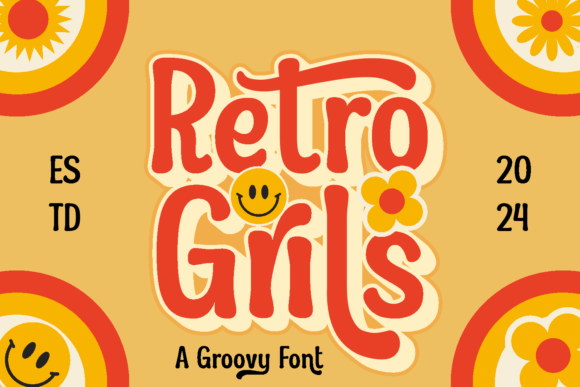
Thick
A heavy handwritten-style face whose listing names product packaging, labels and advertisements. Latin letters only. Best for one product name on a pack, with the CJK translation set quietly beneath it.
You should use each of these for the English line only, and keep your CJK lines in a quiet font. A wider range is here on Creative Fabrica.
What to Check Before You Hand the Layout to a Client
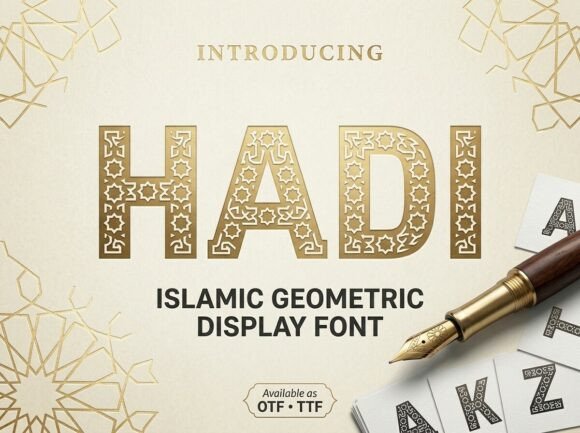
You can read modern bold fonts without the cheap look for more Latin choices before you check anything else.
You can keep the Latin line safe by choosing a font that ships with a commercial license on Creative Fabrica, so the file and the permission travel together.
- Licence of every font in the file. The SIL Open Font License covers Noto and Source Han and lets you pass the file on with the licence text. Every other font you use needs its own commercial licence.
- Region. Give each CJK line the variant for its own language: JP for Japanese, SC for Simplified, TC for Traditional.
- Weight. Shrink the preview and check that you see no line heavier than the others.
- Missing characters. Look for empty boxes or fallback letters in your final export. You get a classic late surprise when a line falls back to a system font at print time.
- Outlines. When you send the file to print, convert the text to outlines or embed the fonts, so the printer does not replace them.
Mistakes in Multilingual Bold Layouts
For the general rules behind a heavy headline, read bold heading fonts vs bold text fonts and bold letters fonts: capitals that hold their shape big.
- Using one font for Japanese and Chinese. You misdraw shared characters in the other language when you use a single regional variant.
- Matching weight names. You will not get the same darkness from Bold in a Latin font and Bold in a CJK font.
- Adding letter-spacing to CJK. You do not need it, because the characters already sit in an even square.
- Faux bold on CJK. When you press the bold button on a font with no heavy style, you smear dense characters. Choose a family that ships the real weight.
- Trusting “free” on a download site. Many are personal use only, so you should check before the file goes to a client.
If a mistake above came from a weak Latin font, you can replace it with a licensed display font. For more heavy options, see Cricut fonts you can legally sell with.
Key Takeaways
- Noto Sans CJK and Source Han Sans are free, cover Japanese and Chinese, and allow commercial use under the SIL Open Font License.
- You choose the regional variant by the language of the text: JP, SC or TC.
- Noto ends at Black and Source Han at Heavy; nothing heavier exists in those families.
- You match the English line to the CJK line by how dark it looks, not by the weight name.
- A paid font covers your English line only; you keep the characters in Noto or Source Han.
FAQ
What bold fonts work for Japanese, Chinese and English in one layout?
You can use Noto Sans CJK and Source Han Sans, in Bold, Black or Heavy. They include Latin letters, so you can keep all three scripts in one family.
Are Noto CJK and Source Han free for commercial use?
Yes, you can. Both are released under the SIL Open Font License, which allows commercial use and lets you pass the file to a client with the licence text.
Can one font set both Japanese and Chinese?
One family can, but you need a separate regional variant for each. Use JP for Japanese text and SC or TC for Chinese.
What English font goes with a Japanese bold font?
I pick a clean sans serif with even strokes for a gothic-style Japanese font. You adjust its weight until it looks as dark as the CJK line.
Is there a bold font heavier than Black for Chinese text?
You will not find it in Noto Sans CJK or Source Han Sans. For a heavier look you need a separate CJK display font.
Do display fonts from marketplaces include Japanese or Chinese characters?
Often not. Many are Latin only, so you should check the preview with real characters before you buy.
Ready to set the English line? Pick a Latin display font with the license already cleared and keep the characters in Noto or Source Han.