A lot of designers assume “free font” means “safe to use anywhere” — download it, drop it into a logo, done. That’s not how commercial licensing works, and it’s the fastest way to get a takedown notice on a client project.
Some free fonts are personal-use only. Others come with a commercial license attached from day one, no upgrade required. The trick is telling which is which before you build a whole design around one.
Quick answer: The strongest free fonts for real projects are handwritten scripts, duo pairings (script + sans), and bold display styles — as long as the license explicitly says commercial use. Below are six that pass that test, pulled from Creative Fabrica’s free tier.
What actually makes a free font usable, not just pretty?
Preview images lie. A font can look flawless as a static PNG on a product page and fall apart the second you type your own words into it.
Three things separate a font worth downloading from one that’s going to cause problems later:
Kerning at real sizes. Swashy scripts often look gorgeous at 72pt in the preview and then collapse into an unreadable mess at 14pt body text. If you’re only using it for a headline, that’s fine. If you need it for paragraphs, test it first.
Glyph coverage. PUA-encoded fonts give you access to alternate letterforms and swashes beyond the standard keyboard — without that, a lot of “fancy” fonts only look fancy in their preview, because the extra characters are locked behind a glyph panel you don’t have access to on the free tier.
License terms, in writing. “Free” and “free for commercial use” are two different products. Check the license tab on the product page, not just the download button.
Each file below is a TTF or OTF you can install directly into Canva, Photoshop, Procreate, or a Cricut project — no conversion needed. They’re sourced from Creative Fabrica, where the commercial license is stated upfront on the product page, so you’re not guessing after the fact.
Unlimited creative assets. Access to AI tools.
Commercial licence included.
Get downloads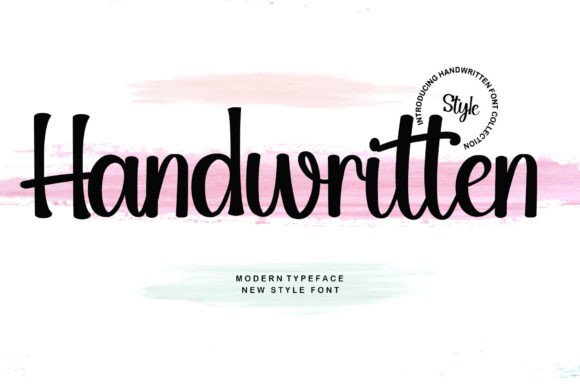
Handwritten
Best for wedding invitations and greeting cards. Flowing baseline, tight but legible spacing between letters, and enough weight variation that it doesn’t read as generic script. Holds up well on cardstock at 24pt and above.
Unlimited creative assets. Access to AI tools.
Commercial licence included.
Get downloads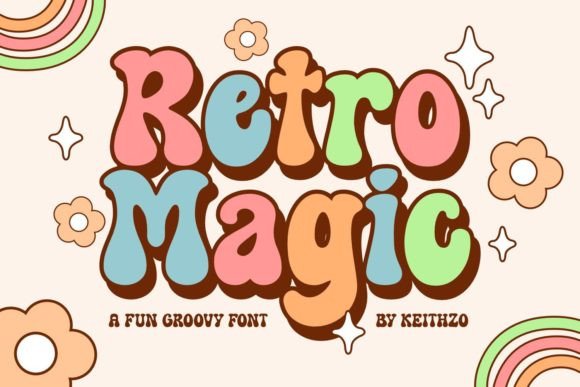
Retro Magic
Best for retro-style headlines and logos. Rounded terminals and a slight wave to the baseline give it a 70s-poster feel without tipping into full-on kitsch. Works better as a wordmark than as running text — the letterforms are wide enough that long headlines will wrap awkwardly.
If you want to explore more options in this direction, our guide to Best Font Design Choices is worth a look, and you may also enjoy Beautiful Modern Font or Elegant Font Design for a different take on the same style.
Which of these fits your specific project?
Not every free font on this list is right for every use case. Match the job to the pick:
- Wedding stationery or greeting cards → Handwritten. Elegant enough for print, legible at invitation sizes.
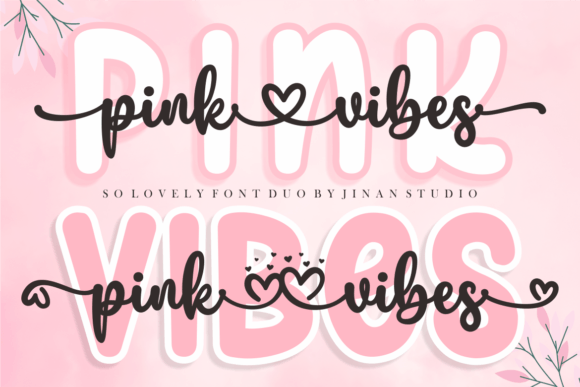
- A logo or headline that needs two typefaces to work together → Pink Vibes Duo. Saves you from hunting for a pairing that doesn’t clash.
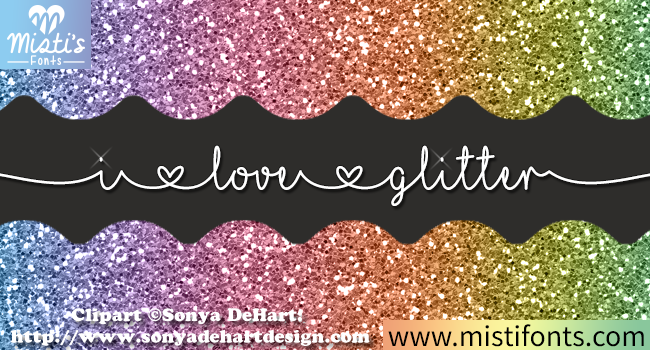
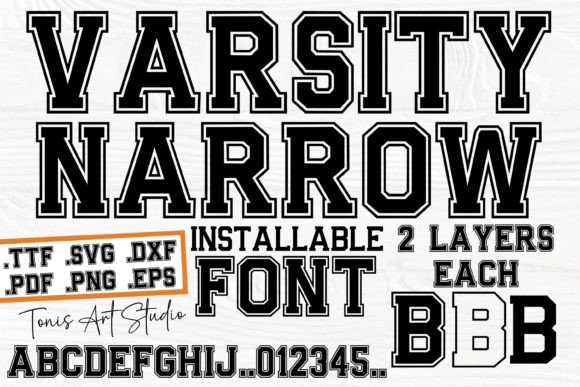
- Cricut or heat-press craft projects → I Love Glitter or Varsity Narrow. Both are built for cutting, not paragraphs.
- A retro-themed brand or poster → Retro Magic. Skip it if your headline is long — the letterforms are wide.
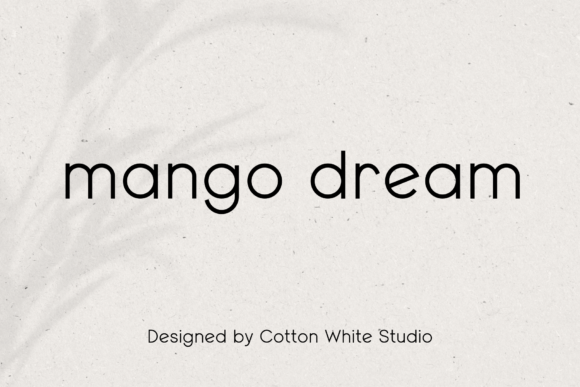
- Business branding that needs to look serious → Mango Dream. The safest, most versatile pick on this list.
Looking for more type options? Our Canva font pairing guide covers combinations that work well together, and our business font templates roundup has more branding-focused picks.
Frequently Asked Questions
Are free fonts on Creative Fabrica actually free for commercial use?
It depends on the individual font, not the platform as a whole. Each product page states its license terms directly — check that before using it on a client project or anything you plan to sell.
Can I use a free font in a logo I plan to trademark?
Only if the license explicitly allows commercial and branding use. Some free fonts restrict this even when personal use is allowed, so read the license tab, not just the download page.
Why do some free fonts look different in Canva than in the preview image?
Canva sometimes substitutes system fonts if the uploaded font file isn’t fully embedded, or if certain glyphs (like alternates and ligatures) aren’t supported in Canva’s rendering. Uploading the actual TTF/OTF file directly, rather than relying on Canva’s built-in font search, usually fixes this.
What’s the difference between a duo font and a regular font pairing?
A duo font is sold as one package with two coordinated typefaces already designed to work together — usually a script and a sans-serif. A manual pairing means picking two separate fonts yourself and hoping they match, which takes more trial and error.
Do free fonts come with the same file formats as premium ones?
Usually yes — TTF and OTF are standard across both free and premium tiers on Creative Fabrica. Some premium fonts add extra formats like variable font files, but the core desktop formats are typically included either way.
Key Takeaways
- Free doesn’t automatically mean commercial-use safe — check the license tab on each product page before using it in paid work.
- Duo fonts like Pink Vibes Duo solve the font-pairing problem in one download instead of two.
- Display fonts (glitter, retro, varsity) are built for headlines and craft cuts, not paragraphs — don’t force them into body text.
- Mango Dream is the safest default for branding work if you need something that won’t fight your other design choices.
About the Author: Font Maestro tests and reviews fonts for real-world use — Canva projects, Cricut cuts, and everyday branding — calling out what looks good on paper but breaks down in practice.