Whether you can sell something made with a Cricut font depends entirely on where that font came from, not on whether it opened in Design Space. Design Space will cut with any font you install, regardless of what the license actually allows.
Quick answer: Cricut Access covers commercial sales only up to 10,000 units a year per design, past that you need a separate commercial license. A font bought with an Extended Commercial License has no unit cap. A font marked “free for personal use” covers neither, no matter how it cuts. Check the license before you cut, not after a customer asks for a reorder.
Cricut Access covers commercial sales of a single design only up to 10,000 units a year; a font bought with an Extended Commercial License has no unit cap at all.
Can You Actually Sell Things Made With Cricut Fonts?
The assumption that trips up most sellers is simple: if a font shows up inside Design Space and cuts without an error, it must be fine to sell. That assumption is wrong often enough to matter, because Design Space checks whether a font will cut, not whether you’re allowed to charge money for the result.
The real answer depends on one thing only: where the font came from. A font that came with your Cricut Access subscription, a font you bought with a commercial license attached, and a font you downloaded free from a font site are three different legal situations that happen to look identical on your cutting mat.
Nothing about this is unique to Cricut. It’s the same check you’d run before dropping a typeface into a client’s logo: choosing a logo font hits the same licensing wall, just with a different output at the end. The rest of this page is that check, run specifically for the three ways a Cricut font reaches you, including scripts like Better Together that already carry the paperwork.
What Cricut Access Really Covers (and Where It Stops)
Cricut Access fonts are the library that unlocks inside Design Space with the subscription, and for most sellers they’re the largest single source of fonts they use. The subscription answers “can I use this font in a design.” It gives a separate, narrower answer to “can I sell what I made with it.”
The number that matters: Cricut Access covers commercial sales of a design up to 10,000 units a year. Below that ceiling, an Access font is fine to sell with. Above it, the commercial terms require a separate paid license, and most sellers find this out only after they’ve already sold past the number, not while picking the font.
The second limit is quieter but just as real. The library is tied to the subscription, so the day you stop paying, the font stops appearing, and any saved project that used it opens with a substitute. A commercial license file you own keeps saying the same thing next year, a subscription doesn’t have to, which is why a font like The Sunnyside stays sellable even if you cancel Access later.
Three Places Your Font Actually Comes From
Every font you could put on a Cricut project falls into one of three buckets, and the buckets don’t look different in Design Space, they only look different in the license.
| Where the font came from | What the license usually says | Can you sell with it? |
|---|---|---|
| Cricut Access subscription font | Commercial use included, capped at 10,000 units per design per year | Yes, under the cap. Separate license needed above it. |
| Bought with an Extended Commercial License (Creative Fabrica and similar) | Commercial use and merchandise/resale stated in writing, no unit cap on most listings | Yes. Confirm the resale clause on the product page before your first paid order. |
| “Free for personal use” download | Personal projects only; commercial use requires a separate paid license from the same designer | No, not until you buy the commercial version. |
The trap sits entirely in the third row. A free font installs and cuts exactly as well as a licensed one, and nothing about the cutting process flags the restriction. The only place it’s written down is a license or read-me file most people never open, which is why a font that ships its terms up front, like Little Things Duo, saves you the guesswork.
 Pin it
The Three-Second License Check Before You Cut
Every font, one commercial licence
The bundles I test at logo size live in one subscription — commercial use included, no per-font checkout.
Before you cut anything you plan to sell, run this in the order below. It takes less time than weeding one letter.
1. Find the license file, not the marketing copy. A product description that says “perfect for Cricut projects” is telling you what the font looks like, not granting you rights. Open the actual license or read-me file that ships with the download.
2. Look specifically for the word “merchandise” or “resale,” not just “commercial use.” Some licenses allow commercial design work (a logo, a flyer) but restrict physical products made for resale, which is exactly the category most Cricut sellers are in. Commercial use and merchandise rights are not automatically the same clause.
3. If the font came through Cricut Access, check your annual unit count against the 10,000 cap for that design, not your total sales across every design. The cap resets per design, per year, and it’s a number worth tracking in the same spreadsheet where you track orders, not one you estimate from memory. If you’d rather skip the cap math entirely, a font bought outright with a commercial license, such as Simple Handwriting, removes the counting.
 Pin it
Font vs. Cut File: Why “Cricut Font” Sometimes Means an SVG, Not a Font
A meaningful share of what gets sold as a “Cricut font” is not a font at all. Out of twelve products carrying that label, only two shipped an installable OTF or TTF file: the rest were SVG cut-file sets, one letter per file, with no font that installs anywhere.
The difference matters for licensing as much as it matters for workflow. A font license and an SVG cut-file license are usually written by the same seller under the same terms, but they cover different things: a font license governs what you can type and print with that typeface, while an SVG license governs what you can cut and sell using those specific pre-made shapes. Read whichever one actually matches what’s in your download. A font license copied onto an SVG product description (or the reverse) is a sign the listing wasn’t checked carefully, by the seller or by you.
Practically: if Design Space won’t let you type the “font” you just bought, you didn’t buy a font. You bought a set of pre-cut letter shapes, which is a perfectly fine thing to buy, but the license terms to check are the SVG terms, not whatever the word “font” in the listing title implied. Listings for an actual installable typeface, like The Handwriting Bundle, say so plainly in the file list before you buy.
Fonts That Are Cleared for Commercial Cuts
Every font below carries a commercial license through Creative Fabrica and has real buyer history behind it, not just a listing. We matched each license-cleared font to a specific job, not to a popularity ranking, so confirm the current terms on the product page before your first paid order regardless.
One caution worth naming: Disney Font carries a commercial license and strong buyer numbers, but its name borrows a registered trademark, which is a branding risk on anything you sell under your own shop name, license or no license. None of the five below carry that risk.
Unlimited creative assets. Access to AI tools.
Commercial licence included.
Get downloads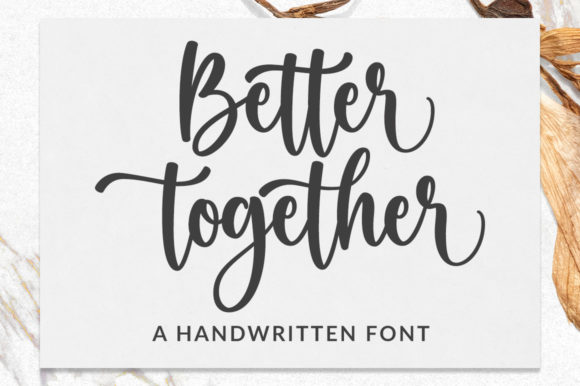
Shirts, totes, and aprons in HTV → Better Together
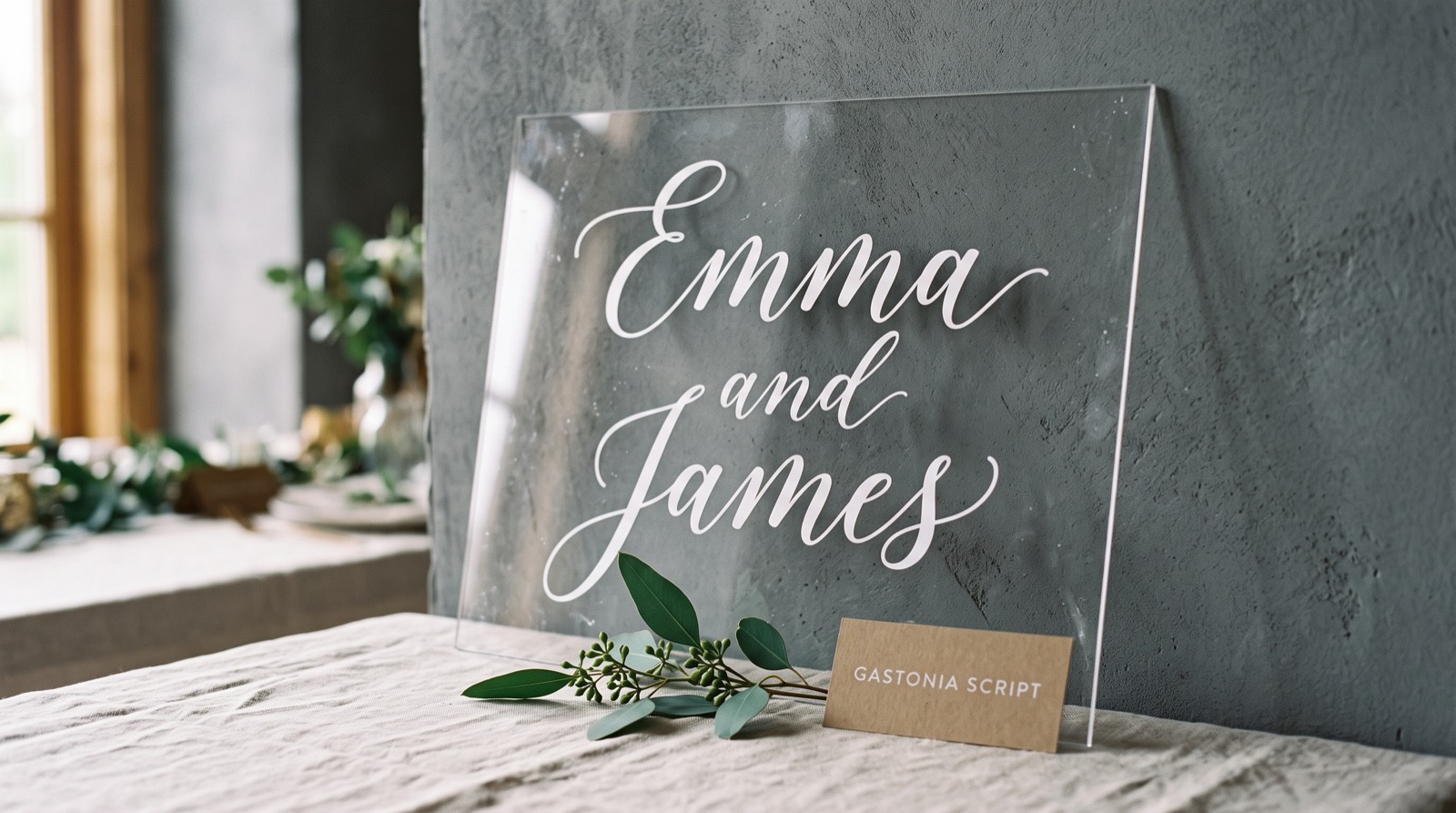
Better Together is a handwritten face with genuinely overlapping joins, so a word lifts off the mat as one piece instead of separating at the touch points.
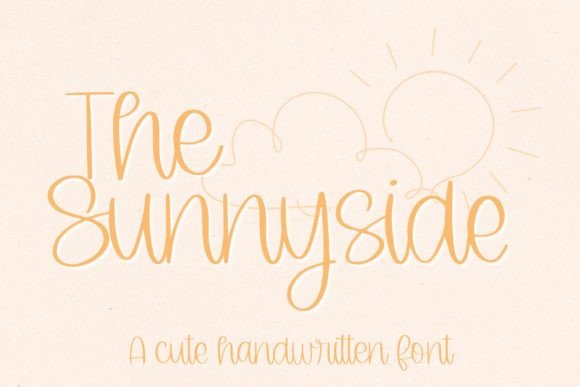
Invitations and paper goods on commission → The Sunnyside
The Sunnyside is a cursive script with even stroke weight, the profile that cuts cleanly in cardstock at invitation size without tearing at thin points.
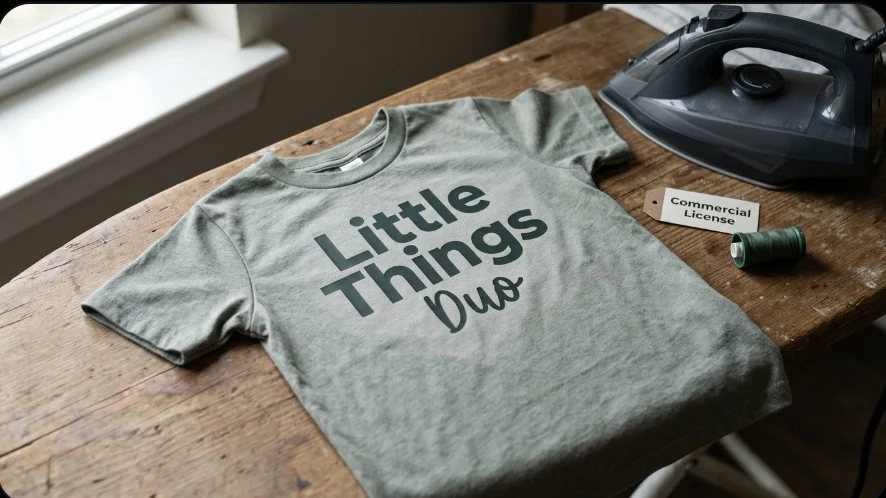
Kids’ names and party decor → Little Things Duo
Little Things Duo pairs a bouncy sans headline with a lighter handwritten script, so a name stays chunky and legible at pocket size.
Unlimited creative assets. Access to AI tools.
Commercial licence included.
Get downloads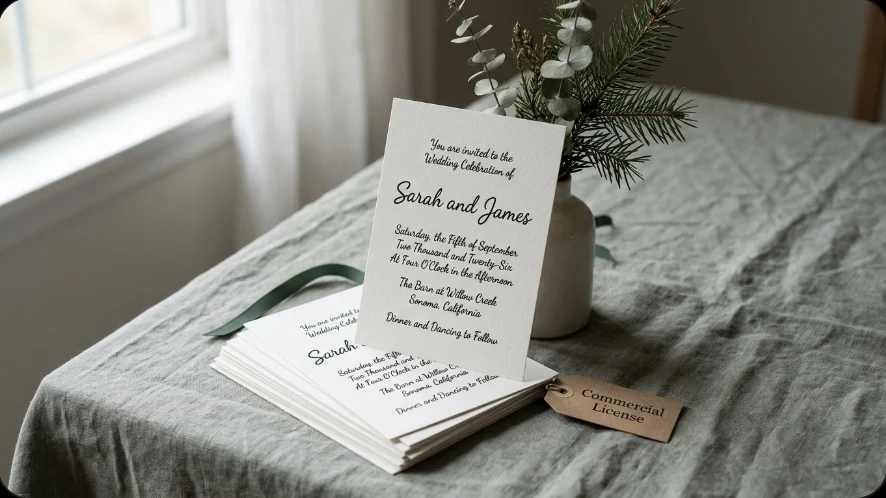
Wedding and event stationery → Simple Handwriting
Simple Handwriting stays close to natural handwriting rhythm rather than heavy calligraphic flourish, keeping a full invitation block of names and dates readable up close.
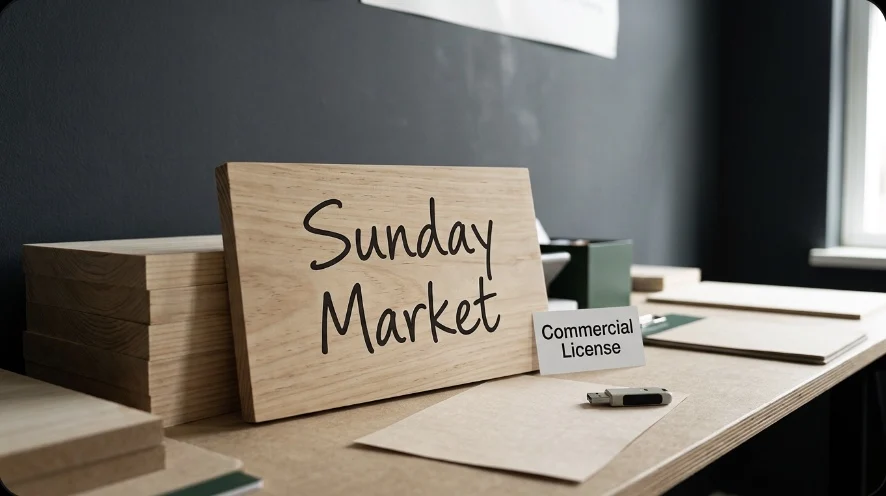
Custom sign orders you hand off to a print shop → The Handwriting Bundle
The Handwriting Bundle packs eight handwritten styles under one commercial license, built for a print-shop hand-off; check the transfer clause.
Shirts, totes, and aprons in HTV → Better Together
Better Together is a handwritten face with genuinely overlapping joins, so a word lifts off the mat as one piece instead of separating at the touch points.
Get Shirts, totes, and aprons in HTV → Better Together on All Access →
 Pin it
Match the Font to the Job: HTV, Cardstock, Curved Vinyl, and Pen
A license clears a font to sell. It says nothing about whether the letterforms survive the material you’re about to cut them in, and that failure shows up as wasted vinyl, not a legal problem.
Heat transfer vinyl stretches and forgives, but every separate piece has to be weeded and positioned by hand. Connected scripts win here because one word lifts as one piece instead of forty.
Cardstock tears where strokes get thin, not where they get thick. Even-weight scripts and rounded handwritten faces survive; high-contrast calligraphy with hairline upstrokes usually doesn’t at invitation size.
Curved vinyl on tumblers and mugs punishes long connected words, because the piece has to wrap a cone instead of lying flat. A shorter word in a sturdier face applies far more cleanly than one long cursive phrase stretched around a curve.
Pen and foil work need a true single-line font, full stop. A standard font is an outline the machine traces and fills; a pen can’t fill anything, so a regular font draws hollow. No amount of adjusting settings fixes this: it’s a different category of font file, and the license question for it is a separate check from anything above.
| Material | Fails first at | Font trait that survives it |
|---|---|---|
| Heat transfer vinyl | Thin joins between separate letters | Connected script, one piece off the mat |
| Cardstock | Hairline upstrokes on high-contrast calligraphy | Even stroke weight, rounded curves |
| Curved vinyl | Long connected words wrapping a cone | Shorter word, sturdier weight |
| Pen or foil | Any standard outline font, which draws hollow | True single-line font file |
Cut one test piece in the real material at the real size before a paid order ships. A font that looks resolved at 400% on screen can lose its thinnest joins at the size a customer actually receives, and that test costs one sheet of vinyl, not a refund and a reprint, which is the same reason it’s worth test-cutting The Sunnyside before a full invitation run.
Bundles and Licenses: What “Commercial” Actually Means on the Label
Every font, one commercial licence
The bundles I test at logo size live in one subscription — commercial use included, no per-font checkout.
“Commercial license included” on a bundle listing is not one fixed set of rights. It’s a label that different sellers attach to different terms, and the terms worth checking are narrower than the label suggests.
Two clauses decide whether a bundle actually covers what you need. First, does it cover merchandise for resale specifically, or only commercial design work like a logo or a flyer, since the two are frequently split in the fine print even under one “commercial” heading. Second, can you hand the finished file to a third party, such as a print shop or an engraver, or does the license require the cutting to happen on your own equipment. This is the exact clause that matters for the secondary segment of buyers in this guide, the ones passing a wedding invitation file to an outside printer rather than cutting it themselves.
Neither clause is unusual or hidden on purpose. They’re just easy to skip past on a bundle page that’s selling you eight fonts at once and one license summary at the top. Read the summary, then open the actual license file inside the download and confirm both clauses match what you plan to do with it, the way The Handwriting Bundle’s license spells out the transfer clause by name.
The Cricut Fonts Cheat Sheet
Save this table. It’s the fast version of everything above, for the next time you’re staring at a font you might sell with.
| Font source | Sell it? | What to check first |
|---|---|---|
| Cricut Access subscription | Yes, under 10,000 units/design/year | Your running unit count for that design |
| Bought with Extended Commercial License | Yes | Merchandise/resale clause on the product page |
| Free “personal use only” download | No | Whether a paid commercial version exists from the same designer |
| Bundle marked “commercial license included” | Depends | Merchandise clause and third-party transfer clause, separately |
| Any font, if the file is actually an SVG cut-file set | Check the SVG license, not a font license | Whether the download installs as a font at all |
Key Takeaways
- Cricut Access covers commercial sales only up to 10,000 units per design per year; past that you need a separate license.
- A font bought with an Extended Commercial License and a free “personal use” font can look identical on the mat and mean opposite things legally.
- Two of twelve fonts labeled for Cricut in this category were true installable fonts; the rest were SVG cut-file sets with a different license to read.
- Bundle licenses split “commercial use” from “merchandise/resale” and from “can you hand the file to a print shop”: check all three, not just the headline word.
- Cut one test piece in the real material before a paid order ships; a license problem and a material problem look the same on the mat but only one shows up before you charge someone.
Ready to check a specific font: start with Better Together’s license page, it’s the fastest way to see what a cleared commercial license actually looks like written out.
FAQ
Can I sell things made with fonts that came with my Cricut Access subscription?
Yes, up to 10,000 units of a given design per year. Past that number, Cricut’s terms require a separate commercial license, and the cap resets per design, not per your total sales.
Font Maestro is not a legal service. This is a plain-language read of publicly posted license terms, not legal advice, so check the current license on the platform or product page, such as The Handwriting Bundle’s, before a paid order, since terms can change.
How do I know if a Cricut font is licensed for commercial use?
Open the license or read-me file that ships with the download and look for the word “merchandise” or “resale,” not just “commercial use.” A product description calling something “perfect for Cricut projects” describes the look, not your rights.
What’s the difference between a Cricut font and a Cricut cut file?
A font installs and types directly in Design Space. A cut file, usually an SVG, is a set of pre-made letter shapes you assemble one at a time and never installs as a font. The two need different license terms even when a listing calls both a “Cricut font.”
Can I give a font file to a print shop to finish an order for a customer?
Only if the license specifically allows transferring the file to a third party. Some commercial licenses restrict use to your own equipment; bundle licenses vary widely on this exact point, so check it separately from the general commercial-use clause.
Which Cricut font looks closest to Disney or Harry Potter, and is there a font generator for this style?
A handful of connected script and blocky display fonts on Creative Fabrica are marketed as the closest match to the Disney or Harry Potter look, and some sites run a generator that previews your name in this style before you buy. Match the look only, never the name: putting a trademarked name on anything you sell is a branding risk no license fixes, the same caution as the Disney-style font mentioned above.
What are the best Cricut fonts for kids, kindergarten, wedding signs, wedding invitations, wedding envelopes, addressing envelopes, small lettering, or vinyl?
Best changes with the project. Bouncy rounded fonts read easiest for kids and kindergarten name labels. Connected scripts cut cleanest in vinyl for wedding signs. Even-weight scripts survive cardstock for wedding invitations without tearing at thin strokes. A plainer, narrower face works better for addressing envelopes and small lettering than a wide display font, since both need to fit a tight line. What cricut fonts go together for a wedding suite usually comes down to pairing one display font with one plain script, not stacking two loud fonts side by side, the way Little Things Duo already pairs a headline weight with a lighter script in one file.
How do I add, upload, or download Cricut fonts, and do I have to pay?
Add a font to Cricut by installing it on your computer first, then restart Design Space so it shows up, there is no separate upload step inside the app itself to use. On iPad or Mac the install is the same operating-system step; Design Space just reads whatever fonts are already on the device. Cricut Access fonts do not need a separate download, they live inside Design Space once you are subscribed. Where to download everything else depends on the source: a marketplace like Creative Fabrica for a paid file, or a free-for-personal-use site for a font you are not planning to sell with, which still means you have to pay before you sell with it commercially, the same paid-and-cleared category as Simple Handwriting.
Which Cricut fonts are connected, single line, or look like handwriting, and can a regular font be made thicker for pen or foil work?
A connected font joins its letters into one flowing line, which is also what looks most like real handwriting and what cuts cleanest in vinyl, good for general writing style, not just pen writing. A single line font is a different file type built for a pen or foil tool, since a pen cannot fill a shape the way a blade cuts one; running a regular, good, filled font with a pen draws hollow no matter how thicker you set the line weight in Design Space. If you are picking a Cricut-style font to use inside Canva instead of Design Space, check the license there too, a font is not automatically clear to sell just because Canva lets you type it. A connected font with the license already spelled out, like The Sunnyside, skips that guesswork entirely.