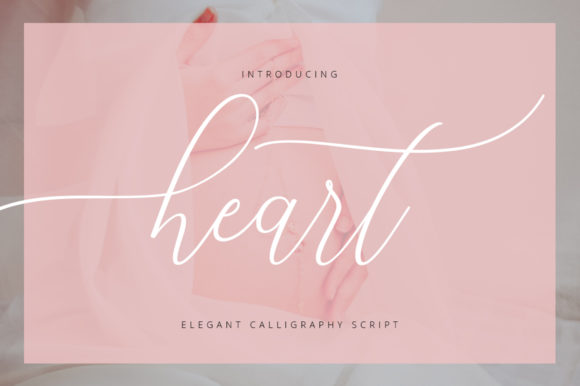
About Angelica
We put Angelica on the Script and Calligraphy Fonts shelf because baby is the kind of thing people come here looking for, and this one answers it without a detour. The save count sits at 106, and a number that size usually means the file does what its preview promises. It comes from Infontree. 5.0 out of 5 from 1 review — a small sample, but it is the sample there is.
Type your own words in the preview box before you decide: script fonts look beautiful in the designer's sample and fall apart in all caps or with a double letter. If you want one use for it, take background: that is the direction the designer clearly had in mind, and it is the one we would follow. Spend the minute on the preview at full size — it is where you find out whether baby was the description or the aspiration.
Angelica Specifications
| Font name | Angelica |
|---|---|
| Designer | Infontree |
| Font type | Script and Calligraphy Fonts |
| Format | Digital download |
| Rating | 5 out of 5 |
| Reviews | 1 |
| Saved by | 106 makers on |
| Last review | 2023-11-12 |
How to use this font
- Download the font from Creative Fabrica and unzip it — you normally get OTF and TTF of the same face, plus a licence file.
- Install the OTF if your software gives you the choice: it carries the alternates and ligatures that make a script face look handwritten.
- Restart the app you design in — Canva, Photoshop, Cricut Design Space and Word all read the font list once, at launch.
- Read the licence before a paid job: personal and commercial use are priced apart, and a logo often needs the extended one.
Download Details
- Format: Digital download
- Files: listed on the Creative Fabrica page for this font
- Licence: whichever licence Creative Fabrica shows for this file — check it there before you sell what you make