About Orchid
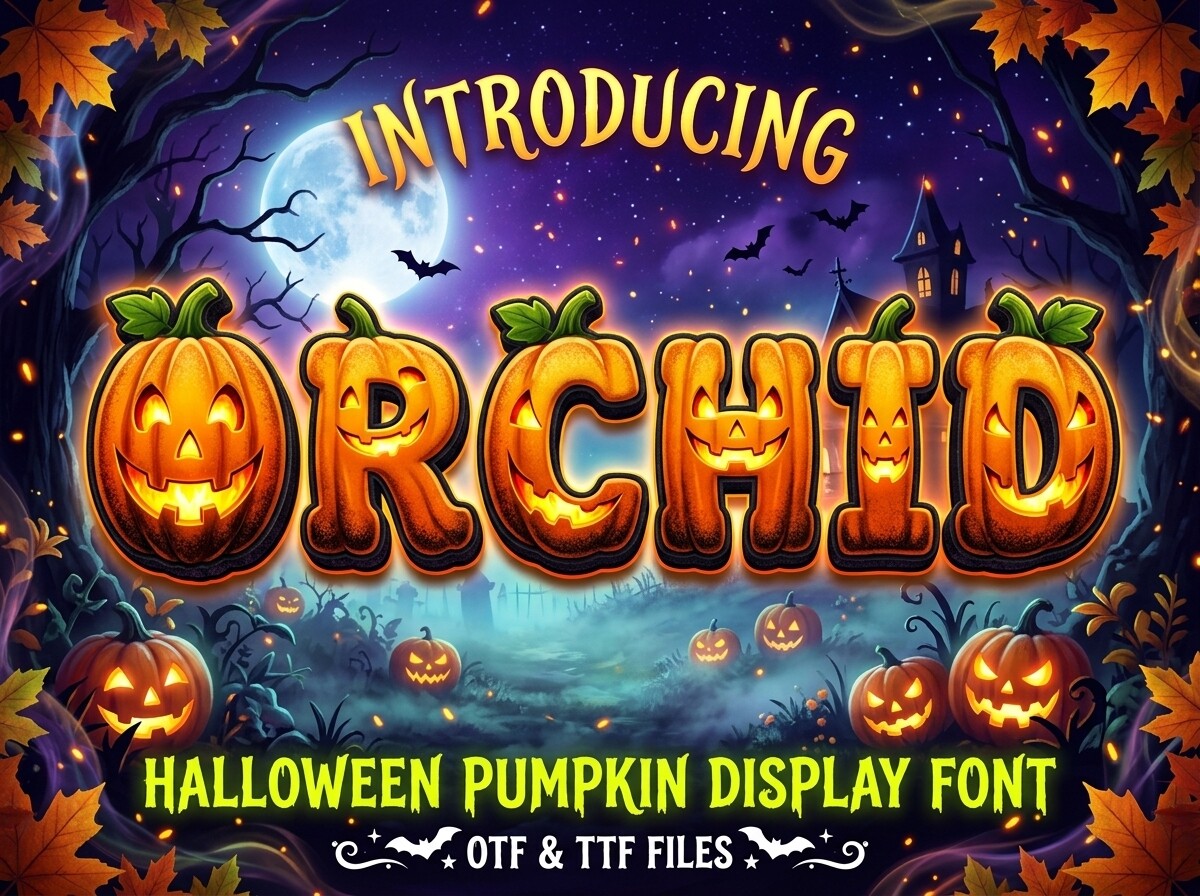
The reason Orchid is here is 3d pumpkin font and nothing else. It does not try to cover the next three jobs along, and we would rather it did not. Unreviewed so far — read that as untested rather than as a verdict. With 3 saves it has barely been seen, and that is neither a good nor a bad sign on a catalogue this size. LINEART3 is the name on the listing.
A display font only has to work big, so we judge it at poster size and ignore how it looks in a paragraph — that is not its job. The obvious job for it is apparel typography, and obvious is right here — the file was built around that and it shows. Before downloading, give the preview a full-size look and read the licence tab — two clicks, and they answer most of what the listing leaves unsaid.
Orchid Specifications
| Font name | Orchid |
|---|---|
| Designer | LINEART3 |
| Font type | Display and Poster Fonts |
| Format | Digital download |
| Saved by | 3 makers on |
How to use this font
- Download the font from Creative Fabrica and unzip it — you normally get OTF and TTF of the same face, plus a licence file.
- Install the OTF if your software gives you the choice: it carries the alternates and ligatures that make a script face look handwritten.
- Restart the app you design in — Canva, Photoshop, Cricut Design Space and Word all read the font list once, at launch.
- Read the licence before a paid job: personal and commercial use are priced apart, and a logo often needs the extended one.
Download Details
- Format: Digital download
- Files: listed on the Creative Fabrica page for this font
- Licence: whichever licence Creative Fabrica shows for this file — check it there before you sell what you make